Android Secret Codes: The Complete List That Actually Works (By Brand)
 androfyi October 31, 2026 10 min read 4 views
Need an Android secret code right now? These three cover most people, and all three are safe:
*#06#— shows your IMEI. Works on every Android phone (and iPhone too).*#*#4636#*#*— opens the Android Testing menu (phone info, usage statistics, Wi-Fi info) on Pixel, Motorola and other near-stock phones. Many brands block it.*#21#— asks your network whether call forwarding is on. Works on any Android — it talks to the carrier, not the phone.
Now the honest part most “complete Android codes” lists skip. No single master list works on every Android, because these codes are three different families wearing one name: network codes set by the GSM standard, which work almost everywhere; stock Android codes built into plain Android, which brands like Samsung and Xiaomi often block or replace; and brand codes, which work only on one maker’s phones. Viral lists mix all three, which is why most codes you find online do nothing on your phone. This guide separates the families, splits everything into Safe, Use with caution and Dangerous, and gives you the alternative when a code is blocked.
Read this first: Device codes (starting
*#*#) usually trigger the moment you finish typing them in the stock Phone app — no Call press needed. Network codes (the shorter ones like*#21#) need you to press Call, because they ask the carrier. If a device code does nothing, your brand or carrier has blocked it; that is normal, not a sign your phone is faulty or fake. Do not keep trying spelling variants from random sites — the reset codes in the Dangerous section look very similar to harmless ones.
The Codes That Work on Almost Every Android
This section is short because the truly universal list is short: one GSM-standard device code, plus network codes every GSM/3GPP carrier supports in the same form (press Call to run those).
| Code | What it does | When it’s useful |
|---|---|---|
*#06# | Shows your IMEI number (and serial on many models) | Lost/stolen reports, warranty, insurance and exchange checks. Never share your IMEI publicly. |
*#21# | Shows call forwarding status — whether ALL calls are forwarded, and to where | The “is my phone tapped?” check — usually it shows forwarding is off. If a number you don’t recognise appears, see the Caution section. |
*#61# | Shows forwarding status when you don’t answer | Where missed calls go (usually voicemail). |
*#62# | Shows forwarding status when your phone is unreachable (off / no signal) | The other half of the voicemail check. |
*#67# | Shows forwarding status when your line is busy | Completes the set of four forwarding checks. |
*#43# | Shows call waiting status | Checking whether call waiting is on or off. |
*#31# | Shows your caller ID (CLIR) status — whether your number is hidden on outgoing calls | Why people say your number shows as “Private”. Carrier support varies. |
These four checks are the codes behind most viral “your phone is hacked” videos. They show ordinary carrier settings — mainly where your voicemail lives — and cannot detect spyware or tapping.
Stock Android Codes — Pixel, Motorola and Older Phones
The famous *#*#…#*#* codes come from stock Android itself. They work best on Google Pixel and Motorola phones and other near-stock builds. On Samsung’s One UI and Xiaomi’s HyperOS, expect many to do nothing — those brands ship their own menus instead (next section). Every code below is read-only: it displays information or runs a test, and you exit with Back.
| Code | What it does | Notes |
|---|---|---|
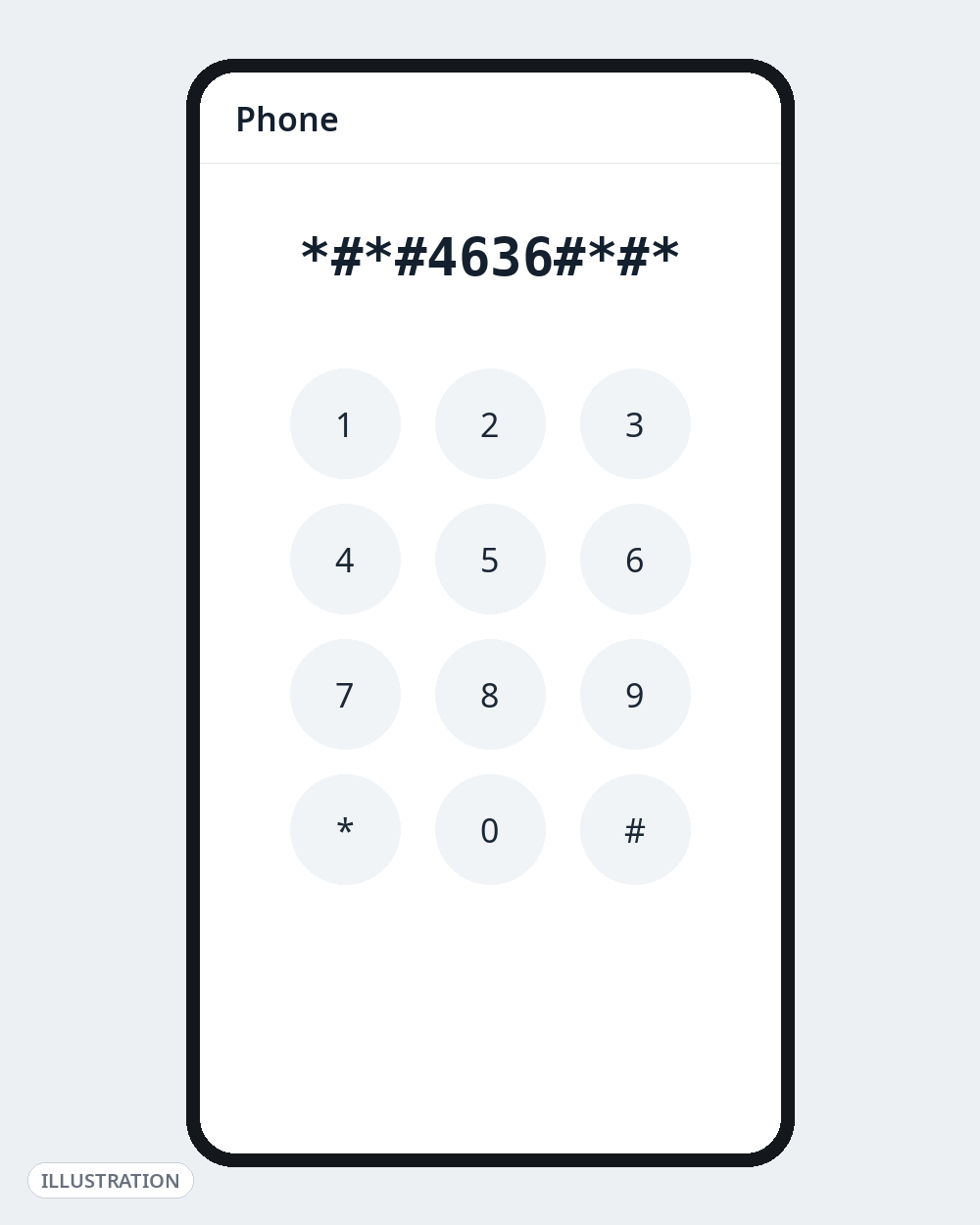
*#*#4636#*#* | Testing menu: phone info (signal, network type, ping test), usage statistics, Wi-Fi info | The most useful stock code. Samsung blocks or restricts it on most One UI builds. |
*#*#426#*#* | Google Play services / FCM diagnostics: whether the phone is connected to Google’s push servers | The fix-it code for delayed notifications. Often only triggers from the Google Phone app, not the brand’s dialler. |
*#*#232338#*#* / *#*#232337#*#* | Wi-Fi MAC address / Bluetooth device address | For router whitelists and pairing troubleshooting. |
*#*#1111#*#* / *#*#2222#*#* / *#*#3264#*#* | FTA software / hardware version; RAM version | Support and diagnostic checks. |
*#*#44336#*#* | Build info: versions, build time, change list number | Identifies the exact build a phone runs. |
*#*#232331#*#* | Bluetooth test | Check Bluetooth hardware before blaming accessories. |
*#*#232339#*#* or *#*#526#*#* or *#*#528#*#* | Wireless LAN (Wi-Fi) test | Three dialects of the same test; try in order. |
*#*#1472365#*#* or *#*#1575#*#* | GPS test | Two reported variants; checks satellite fix. |
*#*#0283#*#* | Audio packet loopback test | Mic/earpiece loop test, used with a technician. |
*#*#0*#*#* | LCD display test | Device-dependent; many brands use their own menu instead. |
*#*#0673#*#* or *#*#0289#*#* | Audio / melody test | Speaker test sounds. |
*#*#2664#*#* / *#*#2663#*#* | Touchscreen test / touchscreen firmware version | Drawing test for dead zones — handy on a second-hand phone. The version screen is view only; never tap an update option. |
Be realistic about the hit rate, though: on a current Samsung or Xiaomi phone, most of this table will silently do nothing — the brands’ choice, not a defect.
A Safer Alternative for Most People: Built-In Diagnostics
If your goal is “is this phone healthy?”, built-in tools beat codes in 2026: Pixel’s Device Diagnostics app, Samsung’s Samsung Members → Diagnostics, and diagnostics inside Motorola’s Moto app. Same hardware checks, current software, and no setting can change by accident.
Brand Codes — Every Maker Has Its Own Menu
When stock codes fail, the brand usually wants you in its own diagnostic menu instead. Start here, then use the full brand guides for complete lists.
| Brand | Start with | Full guide |
|---|---|---|
| Samsung | *#0*# opens the hardware test menu (screen, touch, sensors, speaker) | Samsung secret codes list |
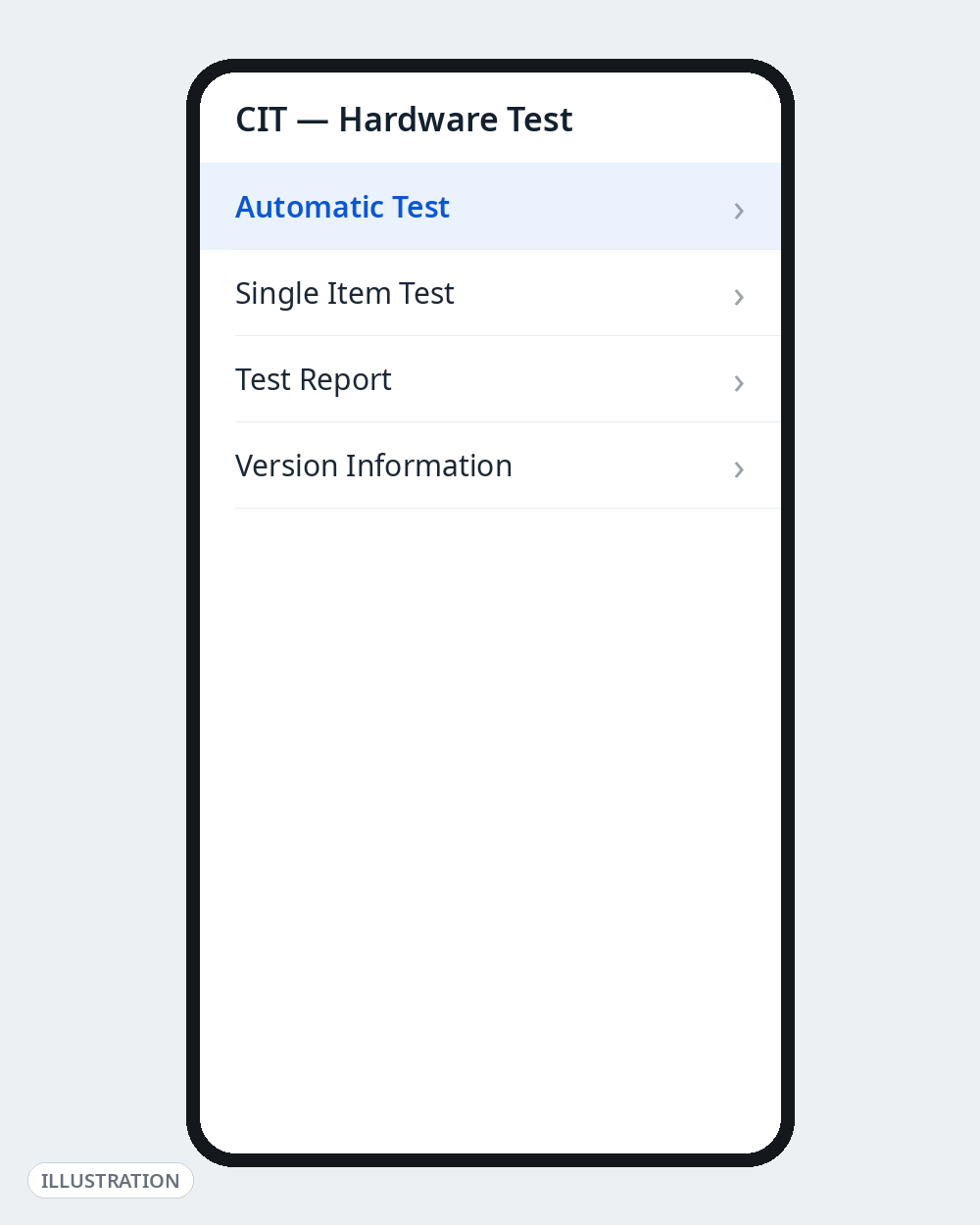
| Xiaomi / Redmi / POCO | *#*#6484#*#* (also reported as *#*#64663#*#*) opens the CIT hardware test menu | Xiaomi & Redmi secret codes list |
| Google Pixel | *#*#4636#*#* works; most other codes were stripped — use the Device Diagnostics app | Stock Android table above |
| OnePlus | *#808# opens engineering mode on many models | Stock Android table above |
| Motorola | *#*#4636#*#* works on many Moto models; diagnostics also live in the Moto app | Stock Android table above |
Use with Caution — These Can Change Things
| Code | What it does | The risk |
|---|---|---|
*#*#197328640#*#* | Service Mode main menu | Contains settings a technician uses. Browse if it opens; change nothing. |
*#*#34971539#*#* | Camera firmware information screen | View only. It includes camera firmware update options — tapping one can break the camera. |
*#*#7594#*#* | Changes power button behaviour (direct power-off) | Changes how your phone shuts down, the moment you dial it. Don’t experiment. |
*#*#273283*255*663282*#*#* | Opens a file-copy screen that backs up media files | An old stock/Samsung-era code, rarely present now. It copies photos, sounds and videos to another folder — duplicates eat storage, and it is not a real backup. |
##002# | Erases ALL call forwarding on your line (press Call) | Use it if a *#21# check shows forwarding to a number you don’t know. It also erases voicemail forwarding — your carrier can restore it, but missed calls may not reach voicemail until they do. |
Dangerous — Do Not Dial These
| Code | What it actually does |
|---|---|
*#*#7780#*#* | Factory data reset: deletes Google account settings, system/app data and downloaded apps. Where it still works, it is a wipe, not a “refresh”. |
*2767*3855# | Full factory reset with firmware re-install (a Samsung-origin code in every generic list). Wipes everything, and on many models starts without a confirmation step. |
Also avoid, as a rule:
- Any site claiming a code will unlock a carrier-locked phone, remove FRP/Google lock, or bypass a PIN. Those codes do not exist. This is the biggest secret-code scam online: the “code” does nothing, triggers a reset code like the ones above, or funnels you to a paid “unlock service” or malware. Unlocking is done by the carrier; Google lock is removed only by signing in with the account that was on the phone.
- Any code mentioning EFS, NVM or partitions. These touch the phone’s identity and radio configuration and can permanently break calling and IMEI registration.
- IMEI-changing codes. Changing an IMEI is illegal in many countries (including India and the UK) and no legitimate diagnostic needs it.
If you actually want to reset your phone, do it the safe way: back up first, then Settings → System → Reset options (menu names vary by brand). You get warnings, a backup prompt and a confirmation step — everything the codes skip.
Why Did a Code Not Work on My Phone?
In order of likelihood:
- Your brand replaced it. Samsung’s One UI and Xiaomi’s HyperOS disable or shadow most stock Android codes and route diagnostics through their own menus (
*#0*#, CIT) — the main reason the 4636 menu does nothing on a Galaxy. - Your carrier or region blocked it. Carrier-sold phones often have service codes removed or restricted; some differ by country build.
- You’re using the wrong dialler. Many codes only trigger in the stock dialler; a few — like the 426 diagnostics code — only fire from the Google Phone app.
- Your Android version dropped it. Brands have been quietly removing engineering codes for years, because reset codes are a social-engineering risk (“dial this to win a prize” scams).
- The code was wrong. Lists get copied for a decade, accumulating typos — the backup code above circulates in two spellings. A code on only one website is a code to skip.
Go Deeper on Androfyi
- On a Galaxy? Use the codes Samsung actually supports: our Samsung secret codes list.
- On Xiaomi, Redmi or POCO? The CIT menu is only the start: see our Xiaomi & Redmi secret codes list.
- New to dial codes in general? Start with our USSD codes and Android dial pad secrets guide.
- Advanced, fully reversible tweaks: our Developer Options power user’s guide.
- Safe, reversible settings changes: 7 Android settings that change everything.
FAQ
What Is the Most Useful Android Secret Code?
*#*#4636#*#* where supported — signal, network info, usage statistics and Wi-Fi details in one menu. On any phone, *#06# (IMEI) is the one code guaranteed to work.
Why Does *#*#4636#*#* Not Work on My Samsung?
Because Samsung replaced stock Android’s Testing menu with its own service codes in One UI; on most Galaxy models the code is blocked or restricted by design. Use Samsung’s own list instead — *#0*# for hardware tests, *#0011# for network information.
Are Android Secret Codes the Same as USSD Codes?
Not quite. USSD codes (your carrier’s balance-check codes, the forwarding checks in this guide) travel to your network and return an answer. The *#*# device codes never leave the phone — they open hidden menus on the handset, which is why brands can remove them.
Can a Secret Code Tell Me if My Phone Is Hacked or Tapped?
No. The forwarding checks (*#21#, *#61#, *#62#, *#67#) only show carrier forwarding and voicemail settings, and no code can detect spyware. If you genuinely suspect compromise, update the phone, review app permissions and device-admin apps, and factory reset through Settings after a backup.
Is There a Code to Unlock My Phone or Remove the Google Lock?
No. No dial code unlocks a SIM/carrier lock or removes FRP (Google account verification). Every site or video claiming one is a scam; the usual outcomes are a data-erasing factory reset (FRP still remains) or a paid fake service.
Sources Checked for This Guide
Codes and warnings were cross-checked against: the XDA Forums generic Android dial codes list, the Samsung Members hidden codes list, Android Headlines’ secret codes roundup, Laganeb’s secret codes guide (current Pixel/OnePlus behaviour), Euan Torano’s FCM troubleshooting guide and UMA Technology’s dialler list (the 426 code), and Ringflow, Mobility Arena and the Wavecom AT Commands Guide for the GSM network codes. Where sources disagreed, the article says so.