Alienware Computers Long-Term Reality Check: 30 Days Later
 androfyi November 5, 2026 8 min read 0 views
I remember unboxing my first Alienware machine. The RGB strip lit up like a casino floor. The Alienhead logo glowed with an almost smug confidence. I thought I’d bought the best gaming hardware on the planet. Fast forward thirty days of actual daily use, and my enthusiasm had been tempered by something no spec sheet warns you about: the slow, accumulating frustration of living with a machine that prioritizes aesthetic theater over sustained, reliable performance.
Our team has spent extensive time with multiple Alienware configurations, from the M17 series to the newer X17 chassis, and what follows is an honest accounting of what happens when the novelty wears off and the machine becomes your daily driver.
Ergonomics & How It Actually Feels
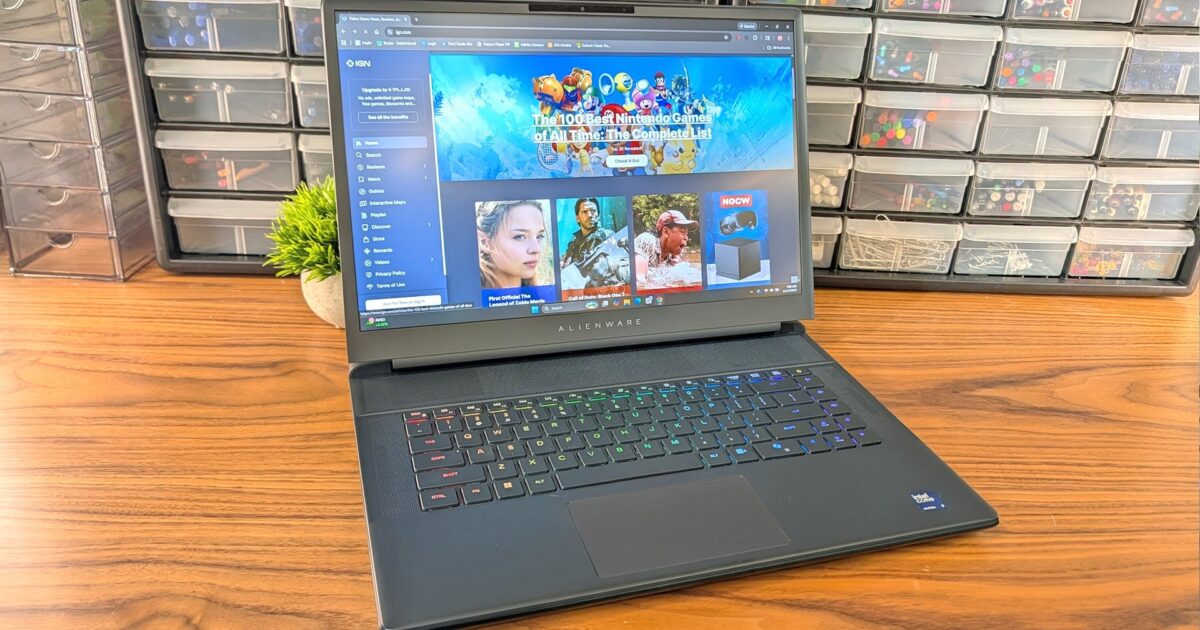
Let me start with the physical reality, because this is where Alienware’s cost-cutting becomes most apparent. The lid bends when you open it. Not dramatically, but enough that you notice. Enough that it bothers you. For a machine that routinely costs north of $2,000, a flexible lid feels like a betrayal of the premium price tag. The keyboard deck, thankfully, shows almost no flex, but the top cover tells a different story.
Then there’s the fingerprint situation. I’ve reviewed dozens of laptops over the years, and I’ve developed a genuine pet peeve for manufacturers who insist on coating their surfaces in what amounts to fingerprint superglue. Alienware’s finish is among the worst offenders I’ve encountered. Within minutes of handling, the machine looks like it went ten rounds with a CSI evidence team. Bring a microfiber cloth everywhere, or resign yourself to wiping it down before every video call.
The keyboard and trackpad occupy that maddening middle ground where they’re neither offensive nor impressive. They function. Key travel is adequate. The trackpad registers inputs. But at this price point, “adequate” should not be the ceiling. Compare this to what competitors offer, and Alienware’s input devices feel like an afterthought.
Most damning, however, is the design identity crisis. Beyond the iridescent Alienhead on the lid and a small “Alienware” label beneath the screen, there’s almost nothing that distinguishes this machine from any other Dell chassis. The iconic, aggressive, unmistakably sci-fi aesthetic that built the brand has been gradually diluted in the name of hitting lower price points. You could slap a Lenovo or HP logo on this thing and nobody would bat an eye.
Living With It: Panel Quality & Sunlight Visibility
The display situation requires nuance. Higher-end configurations, such as those featuring a 2560 x 1600 WQXGA resolution panel, deliver genuinely sharp image quality with solid color reproduction. The pixel density is excellent for productivity work, and gaming at this resolution provides meaningful visual detail.
However, the base configurations tell a less impressive story. Entry-level models ship with 1920×1080 panels, and some configurations offer refresh rates that feel more like marketing window dressing than genuine performance improvements. At 144 Hz, you’re getting a reasonable experience, but when you see 300 Hz advertised at the same 1080p resolution, you’re often looking at a panel that can hit that number only in ideal conditions with limited color depth or under specific synthetic benchmarks.
Sunlight visibility remains a persistent weakness. Push brightness to maximum outdoors, and the panel washes out considerably. The anti-glare coating helps marginally, but on a bright day, you’ll find yourself hunting for shade like a vampire at a beach party. For a machine marketed primarily at gamers who attend LAN parties, conventions, and campus environments with unpredictable lighting, this feels like an oversight worth noting.
Configuration Alert: Base North American configurations currently pair an RTX 4050 with either a Ryzen 5 220 (rebranded Zen 4) or an Intel Core 5 210H (rebranded 13th Gen). These are older architectures wearing new name tags. If you’re paying a premium for the Alienware badge, you deserve current-generation silicon under the hood.
Under Load: Thermal Throttling & Real Speed
This is where the Alienware experience tends to unravel. The thermal design has been a consistent weak point across multiple generations, and the user reports we’ve aggregated paint a disturbingly consistent picture.
During sustained gaming sessions, the fans ramp up aggressively. The noise is not merely noticeable; it’s disruptive. In a quiet room, you’ll reach for headphones not because you want better immersion but because the machine’s cooling solution sounds like a small aircraft preparing for takeoff.
More troubling than the noise is what happens to performance when thermals become unsustainable. The CPU and GPU throttle under extended load, which means the impressive benchmark numbers you saw in reviews degrade significantly during real-world usage. Multiple users report frame rates in titles like Rust hovering between 40-60 FPS on high settings, dropping to 60-70 FPS only when visual quality is sacrificed to medium or low presets. For a machine bearing a gaming-focused brand identity, this is the kind of performance gap that erodes trust over time.
Overheating triggers aren’t limited to gaming. Users report app crashes, unexpected refresh rate drops, and lag during routine productivity tasks. When your $2,000+ laptop struggles with sustained workloads outside its narrow comfort zone, the value proposition crumbles.
The airflow design deserves specific scrutiny. Terrible case airflow is a recurring complaint, and it connects directly to the thermal throttling problem. If hot air cannot escape efficiently, it recirculates within the chassis, baking components and triggering thermal protection mechanisms. The result is a machine that performs like a race car with a blocked exhaust pipe. Impressive at idle, compromised under pressure.
For the high-end configurations featuring a 24GB Intel Core Ultra 9 processor and 64GB DDR5 RAM, the thermal challenge becomes even more acute. Packing that much silicon into a laptop chassis already struggling with cooling is an engineering contradiction. The hardware is capable, but the thermal solution cannot consistently let it express that capability.
The Friction Points
After weeks of daily use, the accumulated annoyances reveal a pattern. Alienware machines deliver moments of genuine excellence, particularly in burst workloads and visual presentation, but they demand tolerance for sustained frustrations that competitors have largely resolved.
What Works:
- Burst Performance: Short-duration tasks and benchmark runs showcase impressive raw power, particularly on higher-tier GPU configurations.
- Display Sharpness: The WQXGA panels on premium configurations deliver crisp, detailed visuals that hold up well for creative work.
- Build Rigidity (Partial): Despite the flexible lid, the keyboard deck and internal chassis structure show minimal flex during normal use.
- Brand Ecosystem: Alienware’s peripheral lineup, including monitors and headsets, integrates reasonably well for users invested in the ecosystem.
- Configuration Ceiling: Top-end specs (Core Ultra 9, 64GB DDR5, dedicated high-wattage GPUs) offer legitimate workstation-class capability in select scenarios.
What Frustrates:
- Thermal Performance: Sustained loads trigger aggressive throttling, fan noise, and overheating that directly impacts real-world gaming and productivity performance.
- Proprietary Components: Parts inside are custom-fitted, making repairs difficult, upgrades nearly impossible, and long-term ownership expensive.
- Service Accessibility: The chassis design resists user servicing. What competitors allow you to upgrade with a screwdriver, Alienware seals away behind proprietary connectors and non-standard form factors.
- Bloatware Load: Out-of-box software includes substantial unwanted pre-installation that consumes resources before you’ve installed a single game.
- Limited BIOS Configuration: Power users report restricted BIOS options that prevent meaningful tuning of fan curves, voltage limits, and performance profiles.
- Design Dilution: The iconic Alienware aesthetic has been progressively stripped away, leaving machines that look increasingly generic despite premium pricing.
- Surface Finish: The fingerprint-magnet coating demands constant maintenance to keep the machine presentable in professional or public settings.
- Price-to-Performance Gap: At equivalent specifications, Alienware configurations typically cost significantly more than competitors while delivering comparable or worse sustained performance due to thermal limitations.
Ownership Warning: If you plan to keep this machine for three or more years, the proprietary component situation becomes a serious concern. When a standard GPU or RAM module fails in a typical laptop, replacement parts are widely available at competitive prices. In an Alienware, you’re dependent on Dell’s parts supply chain, often at inflated costs, with limited third-party repair options.
Alienware occupies an unusual position in the gaming hardware market. Founded in 1996 by Nelson Gonzalez and Alex Aguila, the brand built its reputation on aggressive, unmistakable design and genuine performance leadership. Dell’s acquisition brought manufacturing scale and distribution reach, but it also introduced the cost optimization pressures that have gradually eroded what made Alienware distinct.
The machines are not bad. On the contrary, in short bursts and controlled environments, they can be genuinely impressive. But gaming laptops exist to be used, for hours at a time, under demanding conditions. And it is precisely in those sustained scenarios where Alienware’s compromises become impossible to ignore.
Our recommendation: If you’re drawn to Alienware for the aesthetic and ecosystem, consider whether you’re paying for the experience you actually want versus the experience you’ll actually get. The competition, including ASUS ROG, Razer, MSI, and Lenovo’s Legion line, offers comparable raw specifications with generally superior thermal management and, increasingly, more distinctive design languages of their own.
Buy Alienware for the moments. But budget your patience for the hours between them.
Tags: alienware long term review, alienware gaming laptop problems, alienware thermal throttling issues, alienware vs asus rog, alienware m17 overheating, alienware proprietary parts upgrade, alienware x17 real world performance, alienware fingerprint lid issues, dell alienware build quality 2026, alienware cost cutting design, alienware rust fps performance, alienware sustained gaming performance, alienware bloatware problems, alienware bios limited settings, alienware worth it reddit