Samsung Secret Codes List: 30+ Working Codes, Safe vs Dangerous
 androfyi October 31, 2026 9 min read 6 views
Need a Samsung secret code right now? Start with these three — they are safe, read-only, and work on most Galaxy phones:
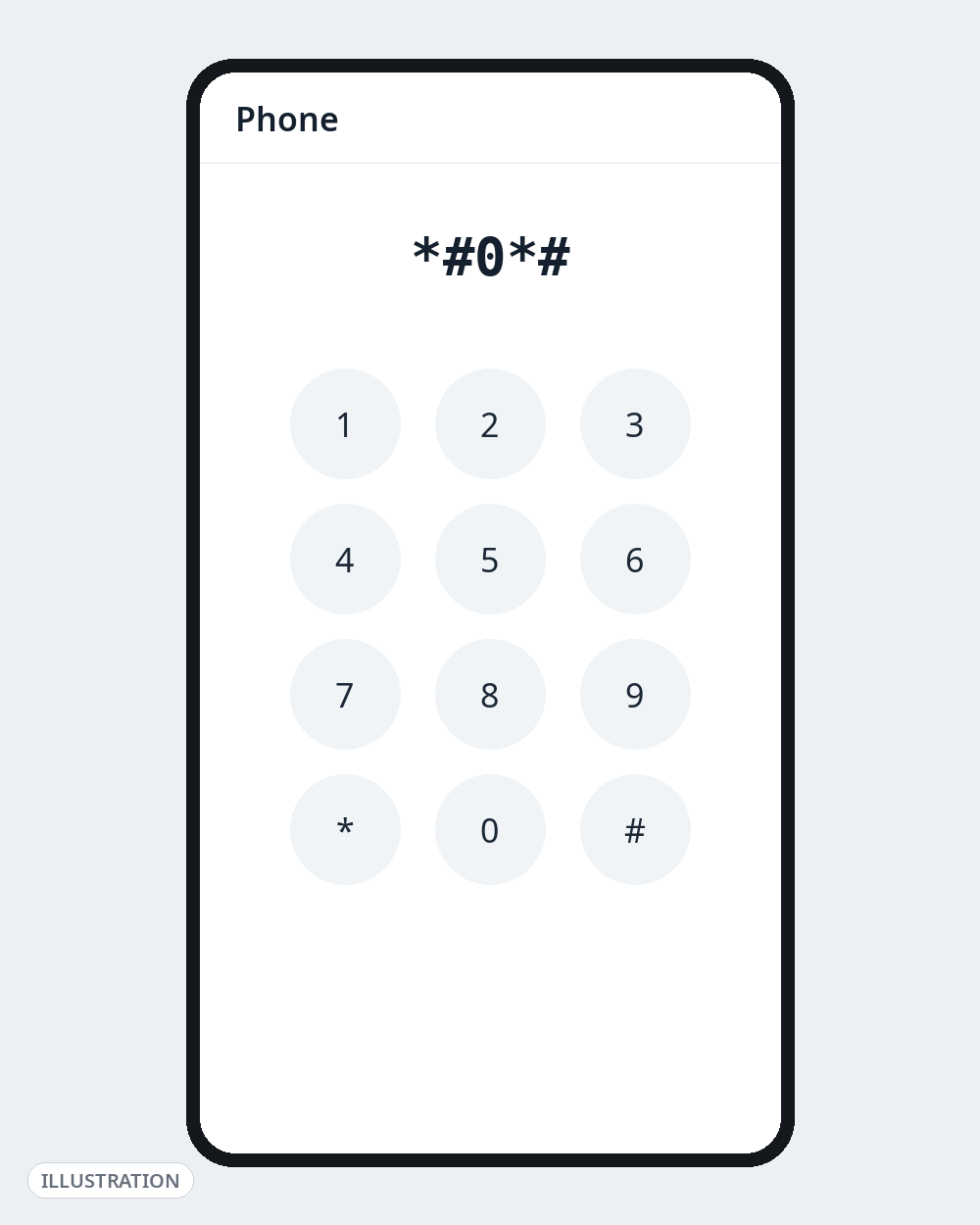
- *#0*# — opens the hardware test menu (screen, touch, sensors, speaker, vibration)
*#06#— shows your IMEI number*#1234#— shows your software version (AP, CP and CSC)
Everything else in this list is split into three groups: Safe (look, don’t change anything), Use with caution (the menu can change settings if you tap the wrong thing) and Dangerous — do not dial (reset and CSC codes that can wipe your phone or break updates). That split is the whole point of this guide, because most “complete Samsung codes” lists online mix all three together with no warning.
Read this first: Codes vary by Galaxy model, One UI version, country and carrier. Samsung has disabled some older codes in newer One UI releases, and carrier-locked phones block others. If you dial a code and nothing happens, your model simply doesn’t support it — that is normal, not a fault. Use the stock Samsung Phone app to dial codes; most of them do not work in Google Phone or other third-party diallers. If a code does nothing, do not keep trying variants you found on random sites.
Safe Samsung Codes — Information and Tests Only
These codes open a screen that shows information or runs a test. Back out with the Back button and nothing on your phone changes.
| Code | What it does | When it’s useful |
|---|---|---|
*#06# | Shows IMEI (and serial number on many models) | Reporting a lost/stolen phone, warranty and exchange checks. Never share your IMEI publicly. |
*#0*# | General Test Mode: red/green/blue screen test, touch, vibration, speaker, sensors, cameras, LED | Buying a second-hand Galaxy, or checking a suspected dead pixel / faulty sensor |
*#1234# | Software version — AP, CP, CSC and model | Checking exactly which firmware build you are on before an update or a service visit |
*#12580*369# | Software and hardware information in one screen, including RF calibration date | A fuller version of *#1234# on models that support it |
*#0228# | Battery status: voltage, level and temperature readings | Checking whether a battery is overheating or behaving oddly. Note: several sources report this code no longer opens on One UI 8 and later. |
*#1111# | FTA software version | Support and diagnostic checks |
*#2222# | FTA hardware version | Support and diagnostic checks |
*#07# | SAR value information | Checking your model’s listed radiation (SAR) information where supported |
*#7353# | Quick Test menu — a shorter test list (melody, vibration, speaker, camera and more) | A faster alternative to *#0*# on models that support it |
*#0283# | Audio packet loopback test | Testing the microphone/earpiece loop with a technician |
*#34971539# | Camera firmware information screen | View only. This menu contains an update option — do not tap it (see Caution section). |
*#2663# | Touchscreen (TSP) firmware version screen | View only. Same warning — do not tap any update option. |
*#0011# | Service Mode: live network information — signal, band, cell and SIM status | Diagnosing weak signal or slow mobile data |
*#*#4636#*#* | Standard Android Phone Information menu (phone, battery and usage statistics, varies by model) | This is an Android code, not a Samsung one; Samsung restricts it on some One UI builds |
*#21# | Shows call forwarding status for voice calls | Checking whether your calls are being forwarded without you knowing |
*#67# | Shows call forwarding status when your number is busy | Same check as above, for the “busy” case |
*#43# | Shows call waiting status | Checking if call waiting is on or off |
That’s 17 codes you can dial without risk on a phone you own. Two habits keep them safe: don’t tap buttons inside a menu you don’t understand, and exit with Back rather than experimenting.
A Safer Alternative for Most People: Samsung Members Diagnostics
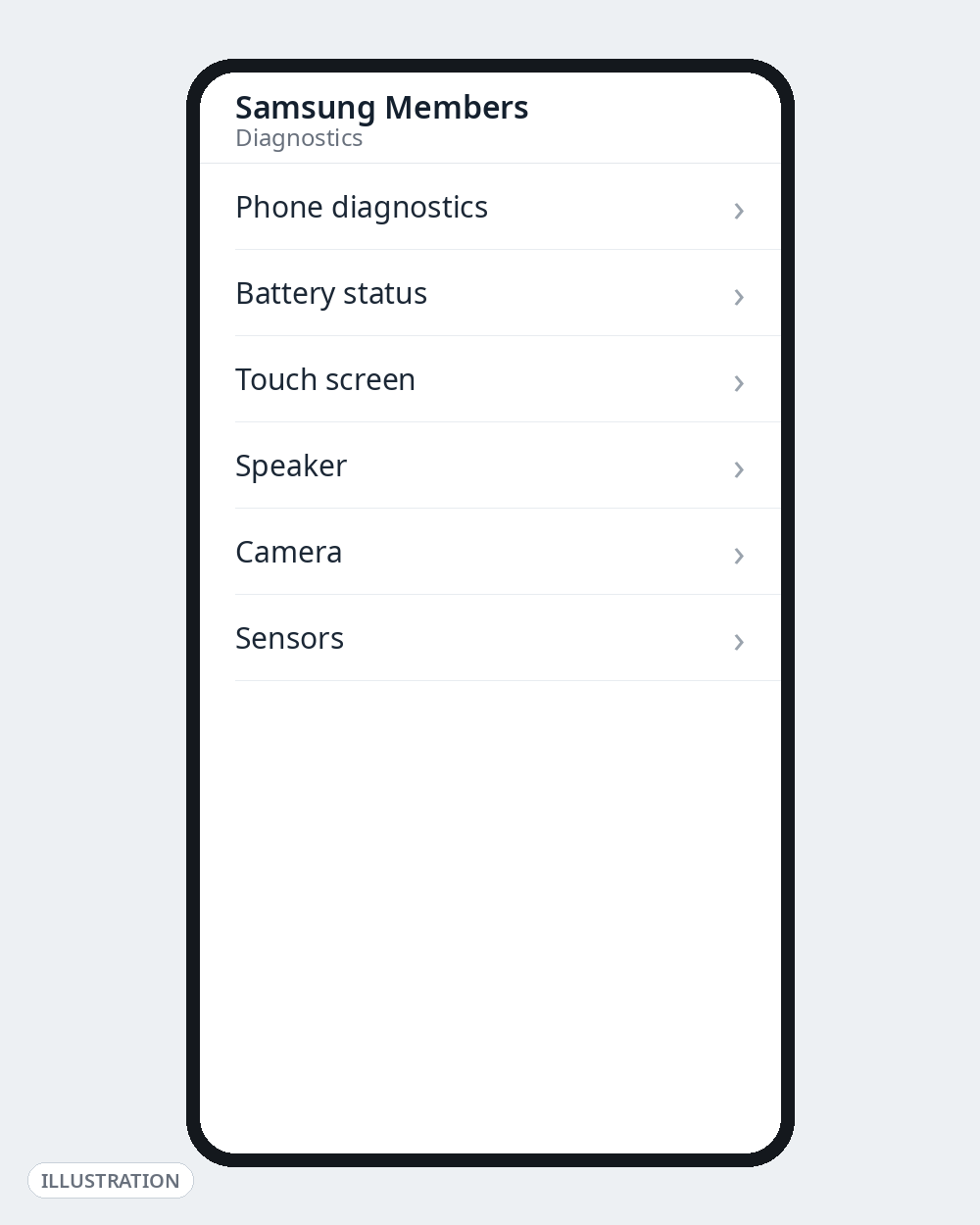
If all you want is “is my phone healthy?”, you don’t need codes at all. Open the Samsung Members app → Diagnostics and run the guided tests for battery, screen, sensors and more. Samsung’s own support pages point users to this tool, it works on current One UI versions where some codes have been removed, and it cannot change any setting by accident.
Use with Caution — These Menus Can Change Settings
These codes are real and documented, but the screens they open contain options that change your phone. Open them only if you know why you are there, and change nothing unless you are following model-specific instructions from Samsung support or a technician.
| Code | What it opens | The risk |
|---|---|---|
*#9900# | SysDump mode — system logs and dump options | Contains delete options for log files. Look, don’t delete — and despite what old posts claim, this is not a safe “speed up your phone” trick. |
*#0808# | USB configuration settings | Changing the USB mode here can break file transfer or PC connections until you change it back. |
*#9090# | Diagnostic configuration | A service setting, not a user setting. Changing it can affect network/diagnostics behaviour. |
*#2683662# | Advanced Service Mode | Deeper network/service menus than *#0011#. View information only. |
*#2263# | Network band selection | Forcing a single band can leave you with no signal or no 5G until reset. Only relevant if a technician asks. |
*#272*IMEI# | Product code / CSC (country/carrier software configuration) screen | Changing CSC can change which updates you get, which features appear, and can trigger a factory reset on some models. Never change it out of curiosity. |
**04*[old PIN]*[new PIN]*[new PIN]# | Changes your SIM PIN | This is a standard GSM code, but mistyping locks your SIM and you’ll need the PUK from your operator. |
Dangerous — Do Not Dial These
These codes are listed so you can recognise and avoid them, not to try them. Several older lists present them as ordinary “secret codes”. They are not.
| Code | What it actually does |
|---|---|
*2767*3855# | Full factory reset and firmware re-install. Wipes everything, and on many models starts without a confirmation step. |
*#*#7780#*#* | Factory data reset (apps and app data). Another wipe code circulating as a “soft reset”. There is nothing soft about losing your data. |
*2767*2878# | “Custom reset” variant reported on older Galaxy models — still a reset. |
*2767*927# | WAP reset variant on older models — resets browser/WAP settings and data. |
*2767*63342# | Data reset variant reported to delete media and downloaded content on older models. |
Also avoid, as a rule:
- Any code mentioning EFS, NVM or partitions. These relate to the phone’s identity and radio configuration. Corrupting them can permanently break calling and IMEI registration.
- Sensor calibration codes (for example
*#0123#, reported on older models). Misused calibration can break touch or sensor behaviour; the code is locked out on most current models. - Any site claiming a code will “unlock”, root or remove FRP/Google lock. Those codes do not exist. Sites and videos promising them are scams, and are a common route to malware and paid “unlock” fraud.
If you actually want to reset your phone, do it the safe way instead: back up first (Samsung Cloud / Google / Smart Switch), then use Settings → General management → Reset. You get warnings, a backup prompt and a confirmation step — everything the codes skip.
Why Did a Code Not Work on My Phone?
In order of likelihood:
- Your One UI version removed it. Samsung has been disabling reset, CSC and some engineering codes in successive One UI releases precisely so people can’t trigger them by accident.
- Your model or region never had it. A-series, M-series and flagship S-series phones do not all expose the same menus.
- Your carrier blocked it. Locked carrier variants commonly disable service codes.
- You used the wrong dialler. Try again in the stock Samsung Phone app.
- The code was wrong. Code lists get copied from site to site for years, including typos. A code that appears on only one website is a code to skip.
Go Deeper on Androfyi
- New to hidden menus in general? Start with our USSD codes and Android dial pad secrets guide.
- For settings you can change safely and reversibly, see 7 Android settings that change everything.
- Ready for the advanced (and fully reversible) stuff? Read our Developer Options power user’s guide.
FAQ
What Is the Safest Samsung Secret Code to Try First?
*#06# (IMEI) and *#0*# (hardware test). Both are read-only, work on virtually all Galaxy models, and you exit with the Back button. If a code on this page is in the Safe table, it only displays information or runs a test.
Do Samsung Secret Codes Work on One UI 7 and One UI 8?
The core information codes — *#06#, *#0*#, *#1234# — are reported working across One UI 6, 7, 8 and 8.5 by current code lists. Some codes, such as *#0228#, are reported to stop working on One UI 8, and reset/CSC codes are increasingly disabled. Treat every code as “try it in the Samsung Phone app; if nothing happens, your build doesn’t support it.”
Can a Secret Code Damage My Phone?
The Safe codes cannot. The Caution and Dangerous codes can — factory reset codes erase your data, CSC changes can affect updates and trigger resets, and EFS-related codes can break the phone’s network identity. That is exactly why this list separates them instead of giving you one flat list.
My Phone Doesn’t Open Any Secret Codes. Is It Fake?
No. Carrier-locked phones, some regional builds and newer One UI versions block many codes, and codes only work in the stock Samsung dialler. Verify a phone instead through Settings → About phone, the IMEI on the box/SIM tray, and Samsung Members diagnostics.
Is There a Samsung Code to Unlock a Carrier-Locked Phone or Remove Google Lock?
No. No dial code unlocks a SIM lock or removes FRP/Google account verification. Anyone selling such a code is running a scam. Carrier unlocking is done by the carrier once you meet its conditions; Google lock is removed by signing in with the account that was on the phone.
Sources Checked for This Guide
Codes and warnings were cross-checked against: Beebom’s Samsung secret codes list (One UI 6–8.5 behaviour), BestForAndroid’s Samsung Galaxy secret codes and service menus guide, Samsung Care Centre’s 2026 codes finder, FixYourAndroid’s One UI codes list, and model code pages on MobileSpecs. Where sources disagreed or a code’s support was version-dependent, that is stated in the article rather than smoothed over.