I’ve used the Razer Blade 16 (2026) for two weeks Long-Term Reality Check: 30 Days Later
 androfyi August 22, 2026 6 min read 137 views
I remember pulling the Razer Blade 16 (2026) out of the box and thinking, “This is it. This is the one.” The anodized aluminum, the vapor chamber promises, the spec sheet that reads like a fever dream. Two weeks later, the honeymoon phase has curdled into something far more nuanced. Daily use has a way of sanding down the edges of first impressions, revealing whether a laptop is a genuine tool or just a beautiful brick. Let me tell you what two weeks of actually living with this machine looks like.
Ergonomics & How It Actually Feels
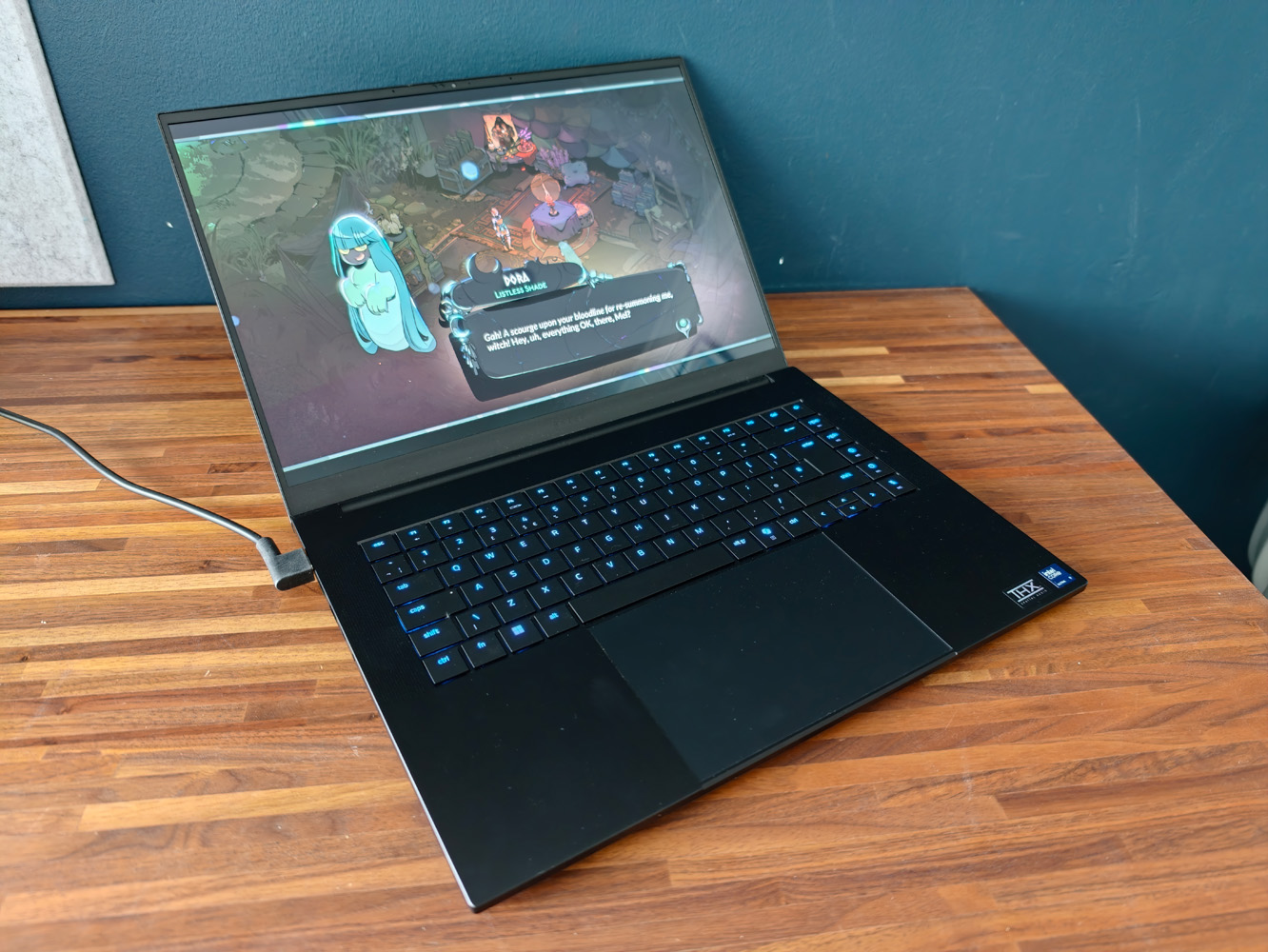
At 4.6 lbs, the Blade 16 is shockingly light for what it contains. Slipping it into a backpack feels less like carrying a gaming laptop and more like smuggling a particularly dense textbook. The chicklet keyboard has satisfying travel, and I never once missed a full-sized numpad during long writing sessions. But the chassis tells a different story when you apply pressure. Close the lid, and you’ll notice it lacks rigidity. I became genuinely paranoid about stacking anything on top of it in my bag. The USB-C ports, meanwhile, feel loose in their sockets. On a machine pushing $3,000+, that loose tolerances feeling triggers a low-grade anxiety every time you plug something in. When you fire up a demanding title and the fans spin up, there is a distinct vibration through the left side of the keyboard deck. It is not catastrophic, but it is there, a tactile reminder that the thermal solution is working hard inside that slim frame.
Living With It: Panel Quality & Sunlight Visibility
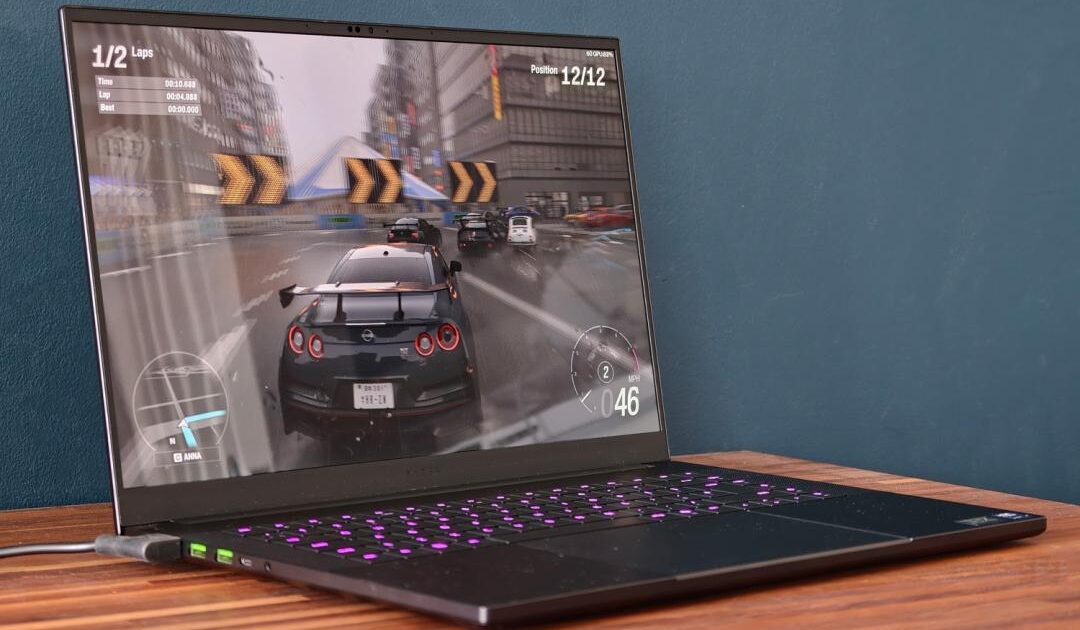
The 16-inch OLED panel is the undisputed star of this show, and after two weeks, I am still not tired of looking at it. VESA TrueBlack HDR1000 certification sounds like marketing fluff until you see highlights hitting 1100 nits in compatible games. The punch is unreal. Colors cover 100% of DCI-P3 straight out of the box, requiring zero calibration for creative work. Inky blacks give atmospheric games genuine cinematic weight. But that glossy finish is a double-edged sword. If you work near a window or under aggressive artificial lighting, reflections become a constant battle. 2560×1600 resolution was a concern initially, but from a normal sitting distance, it is perfectly sharp. The GPU also avoids the penalty of pushing 4K natively, which is a welcome trade-off for sustained frame rates.
Under Load: Thermal Throttling & Real Speed
Here is where the Blade 16 quietly impresses. The RTX 5080 inside this unit runs at up to 165 W TGP, and during extended gaming sessions, internal temps settled into the mid-70s. The fans maxed out around 51 dB, which for a slim chassis is remarkably restrained. I gamed for hours with zero throttling. The palm rest stayed cool, the keyboard remained comfortable, and I experienced none of the scorched-finger heat that plagued older Blade designs. The new Intel Panther Lake Core Ultra 9 386H pulls up to 40 W and feels snappy in productivity tasks. On battery, however, the CPU performance takes a noticeable hit. It throttles when unplugged, which limits its utility as a true portable workstation away from the wall.
The Friction Points
- Thermal Management: Mid-70s under load with no throttling during hours of gaming. A massive improvement over previous generations.
- Display Quality: 240Hz OLED with 1100-nit HDR peaks and 100% DCI-P3 coverage. The glossy coating is reflective but the panel itself is superb.
- Acoustic Performance: Fan noise peaks at 51 dB under heavy load. Noticeably restrained for a slim gaming laptop.
- Portable Weight: At 4.6 lbs, it is shockingly easy to transport for a 16-inch machine with an RTX 5080.
- Keyboard Feel: Satisfying travel on chicklet keys, comfortable for long writing or gaming sessions without cramping.
- Sleep/Wake Failure: Closing the lid rarely puts the laptop to sleep. It cooks itself inside backpacks. I have to fully shut down before travel.
- Chassis Rigidity: The lid flexes under pressure. You cannot stack anything on top of this laptop without risking damage.
- USB-C Port Tolerance: Ports feel loose in their housing. Unacceptable at this price point.
- Battery Life Reality: Controlled tests show improved numbers, but real-world use lands at roughly half of advertised figures.
- CPU Power Limiting: The Intel processor throttles noticeably on battery, reducing its effectiveness as an unplugged workstation.
- Fan Vibration: Subtle but distinct vibrations travel through the left side of the keyboard deck during intensive workloads.
Battery Life Warning: Razer has improved battery life significantly this generation, but expectations must be calibrated. In controlled testing environments, you will see respectable numbers. In real-world mixed-use scenarios, expect roughly half of those advertised figures. The Zephyrus line still holds a meaningful edge here, particularly because its CPU does not throttle when unplugged. The Blade’s throttling behavior on battery is a persistent frustration for mobile professionals.
When the hardware fails, you are at the mercy of Razer support. Multiple user reports describe a nightmare experience, with one return taking 11 business days from initiation to refund appearing on a statement. For a premium device carrying a premium price tag, the post-purchase experience feels wildly misaligned with the product’s positioning. The software side has improved. Synapse now allows fixed fan settings and custom curves across all profiles, including battery saver. Previous-generation issues like key double-registration and trackpad double-clicking have not resurfaced on this model. But the core sleep issue remains unresolved, a baffling oversight in 2026. After two weeks, I can say the Razer Blade 16 (2026) is a genuinely impressive piece of hardware hamstrung by bizarre quality control omissions. The screen stuns, the thermals impress, and the portability defies the internal power. But the loose ports, the chassis flex, the sleep failure, and the support nightmare create a friction that spec sheets simply cannot capture. I wanted to love it unconditionally. Instead, I find myself constantly managing its quirks.
Tags: Razer Blade 16 2026 long term review, Razer Blade 16 daily use experience, Razer Blade 16 thermal throttling test, Razer Blade 16 battery life real world, Razer Blade 16 OLED display quality, Razer Blade 16 build quality issues, Razer Blade 16 vs Zephyrus 2026, Razer Blade 16 sleep problem fix, Razer Blade 16 keyboard deck vibration, Razer Blade 16 CPU throttling battery, Razer Blade 16 customer support experience, Razer Blade 16 RTX 5080 gaming benchmarks, Razer Blade 16 chassis flex concerns, Razer Blade 16 USB C port loose, Razer Blade 16 two week review
Related reading