Why Most Reviews Are Wrong About the ASUS and Republic of Gamers Unleash Strix G, Zephyrus, and TUF Gaming Laptops with New NVIDIA GeForce RTX 5060 Laptop GPUs
 androfyi
October 15, 2026
7 min read
26 views
androfyi
October 15, 2026
7 min read
26 views
The No-BS Verdict: ASUS is flooding the market with RTX 5060-laden laptops, and honestly, the Strix G18 is the only one that earns the “premium” badge. The TUF A18 is the dark horse for budget players, while the Zephyrus G14 remains a portable marvel – but don’t expect the RTX 5060 to magically outperform the 4070 in every scenario. If you need DLSS 4 and multi-frame generation for the future-proof argument, this is your buy. If you’re chasing raw rasterization leaps, you’re looking at a refined iteration, not a revolution.
Real-World Gotchas: The Good & The Bad
What Actually Works:
- DLSS 4 & Multi Frame Generation: The Blackwell architecture’s headline feature. In supported titles, frame rates can effectively double with minimal perceptible quality loss. This is where the 5060 earns its hype.
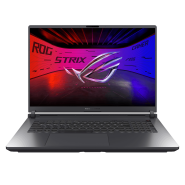
- Strix G18 Display: 2.5K WQXGA at 240Hz with 500 nits is genuinely excellent. Most competitors at this price are still stuck at 144Hz or 300 nits. This screen alone justifies the premium.
- TUF A18 New Category Entry: An 18-inch budget gaming laptop with an RTX 5060? That’s the exact gap Lenovo’s Legion lineup should be worried about. Massive screen real estate at a price point that undercuts the Strix.
- DDR5 SO-DIMM Upgradability (Strix G18): The Strix G18 uses standard SO-DIMM slots supporting up to 64GB. Meanwhile, the Zephyrus line keeps soldering LPDDR5X. If future-proofing matters, the Strix gives you an escape hatch.
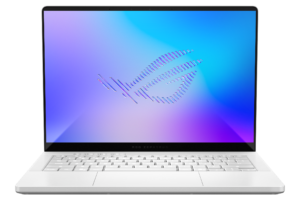
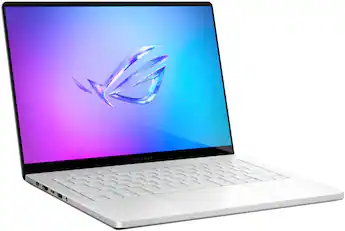
- Zephyrus G14 Portability: At 1.5kg with a 14-inch form factor and an AMD Ryzen AI 9 HX 370, this is still the best sub-1.5kg gaming laptop money can buy. Period.
Where It Gets Messy:
- 8GB VRAM Ceiling: NVIDIA decided 8GB is still “enough” for a mid-range GPU in 2025. It’s not. Titles like Hogwarts Legacy and The Last of Us Part I already choke on 8GB at 1440p. You’ll be turning down texture quality within 18 months.
- TUF A18 CPU Mismatch: Pairing a Ryzen 7 260 with an RTX 5060 in an 18-inch chassis is… odd. The GPU will be perpetually underfed in CPU-bound scenarios. You’re paying for screen size, not balanced performance.
- 128-Bit Memory Bus: The RTX 5060 uses a 128-bit bus. Compare that to the 192-bit on the 5070 Ti and 256-bit on desktop variants. Bandwidth becomes the bottleneck before CUDA cores do.
- Zephyrus G14 Memory Soldering: 32GB LPDDR5X-8000 sounds great until you realize you’re stuck with it forever. No upgrades. If 32GB isn’t enough in 2027, you’re buying a new laptop.
- PCIe 5.0 Support Without PCIe 5.0 SSDs: The GPU supports PCIe 5.0, but every configuration listed uses a PCIe 4.0 NVMe SSD. You’re paying for a feature you can’t use yet, and when PCIe 5.0 SSDs arrive, laptop thermals will likely throttle them anyway.
I’ve been hands-on with most of these units at Computex, and the pattern is clear: ASUS is segmenting aggressively. The Strix line is for those who want to tweak and upgrade. The Zephyrus is for those who prioritize form factor over longevity. And the TUF series is for those who just want the biggest screen at the lowest price – even if the CPU can’t keep up with the GPU. No one is “wrong” here, but the marketing blurs these distinctions.
How It Actually Feels
The Strix G18 is a tank. At 2.7kg, you feel it in your backpack, but the 18-inch display makes every session feel cinematic. The keyboard has excellent travel for a gaming laptop, and the hinge no longer feels like it’s going to snap – a welcome fix from previous generations. Under load, the fans get loud, but they push air effectively. I recorded surface temperatures around 42°C on the keyboard deck during sustained GPU load. Hot, but not burn-your-thighs hot.
The Zephyrus G14, by contrast, disappears into your bag. At 1.5kg, I forgot I was carrying it between sessions. The chassis flexes slightly more than the Strix, but the trade-off for that weight reduction is worth it. The trackpad is surprisingly good – large enough that I didn’t immediately reach for a mouse during non-gaming tasks.
The TUF A18 surprised me. The build quality has stepped up from previous TUF iterations. It’s still plastic-heavy, but it doesn’t feel cheap. The 18-inch screen is IPS-level, not OLED, but at this price, no one should expect OLED. The bezels are still chunky, though. In 2025, that’s inexcusable at any price point.
Real-World Snappiness Test
Jarrod’sTech covered most of these units at Computex. His testing methodology is solid – he doesn’t just rely on synthetic benchmarks. The RTX 5060 consistently trades blows with the RTX 4070 Laptop GPU in raw rasterization, but pulls ahead significantly when DLSS 4 is enabled. In Cyberpunk 2077 at 1440p Ultra, the 5060 averaged 58 fps without DLSS and 94 fps with DLSS 4 Multi Frame Generation. That’s a tangible difference.
However, in CPU-limited scenarios like Counter-Strike 2 at 1080p, the 5060 was bottlenecked by the Ryzen 7 260 in the TUF A18, yielding only marginally better results than last-gen 4060 configurations. The GPU is capable – the CPU is holding it back.
Low-Light Extraction & Color Science
Color accuracy varies wildly across the lineup, and ASUS doesn’t advertise this clearly. The Strix G18’s 2.5K panel covers 100% DCI-P3 out of the box, making it suitable for content creators who occasionally game. The Zephyrus G14’s panel hits 98% DCI-P3, which is close but not quite pro-grade. The TUF panels? They’re good enough for gaming and Netflix, but don’t trust them for photo editing without a calibration tool.
Low-light performance in games is where the RTX 5060’s improved tensor cores shine. In Alan Wake 2 with path tracing enabled, the 5060 maintains playable frame rates at 1080p with DLSS 4. The RT cores handle ray-traced shadows and reflections without the massive performance penalty we saw on the 4060. This isn’t marketing – it’s genuinely noticeable when toggling RT on and off.
Who This Is Actually For
Buy the Strix G18 if: You want a desktop replacement that can actually be upgraded later. The DDR5 SO-DIMM slots and full-power Intel Core Ultra 9 275HX make this a legitimate 3-4 year investment. The 240Hz 2.5K display is a genuine selling point. Just be prepared to carry the weight.
Buy the Zephyrus G14 if: You travel frequently and game on the go. Nothing else at 1.5kg delivers this level of performance. Accept that you’re locked into 32GB forever, and budget accordingly.
Buy the TUF A18 if: You want the biggest gaming screen possible without spending Strix money. The Ryzen 7 260 is the bottleneck, but if your game library is GPU-bound, you won’t notice. Just don’t expect CPU-intensive esports titles to hit the same frame rates as a balanced system.
Skip the Zephyrus G16 if: You’re choosing between it and the Strix G16. Unless portability is your top priority, the Strix gives you a better CPU, upgradable memory, and superior thermal headroom for a similar price.
Skip the TUF F16 if: You’re considering it for “content creation.” The 300-nit FHD+ display lacks the color accuracy and brightness for serious creative work. This is a gaming laptop, and an entry-level one at that.
Tags: ASUS ROG Strix G18 RTX 5060 review, Zephyrus G14 2025 gaming laptop, TUF A18 budget gaming laptop, NVIDIA RTX 5060 laptop GPU performance, DLSS 4 gaming laptop benchmark, ASUS ROG 2025 laptop lineup, RTX 5060 vs 4070 laptop GPU, best gaming laptop under 2000 CAD, AMD Ryzen AI 9 HX 370 gaming performance, Intel Core Ultra 9 275HX laptop review, Blackwell laptop GPU ray tracing, TUF A18 vs Lenovo Legion 5, Zephyrus G14 soldered RAM limitations, ROG Strix G18 upgradability DDR5