
Did I need a new laptop? No. Did I still roll the dice on this Alienware … Review: Better Than the Competition?
 androfyi
March 10, 2026
4 min read
243 views
androfyi
March 10, 2026
4 min read
243 views
Let’s be honest: if you already own a solid gaming rig like a Ryzen 7 7800X3D paired with an RX 7900 XTX, your need for a new laptop is… minimal. But when Dell drops a near-top-tier Alienware 16 Area-51 with an RTX 5080, Intel Core Ultra 9, and Thunderbolt 5 at a discount – especially as an open-box deal – it’s hard not to peek. Especially when your travel setup is still stuck in tablet-and-movie mode. So did I *need* it? Absolutely not. Did I buy it anyway? You bet. And after weeks of testing, here’s how it stacks up against rivals like ASUS ROG, Razer Blade, and Lenovo Legion.
Design & Build

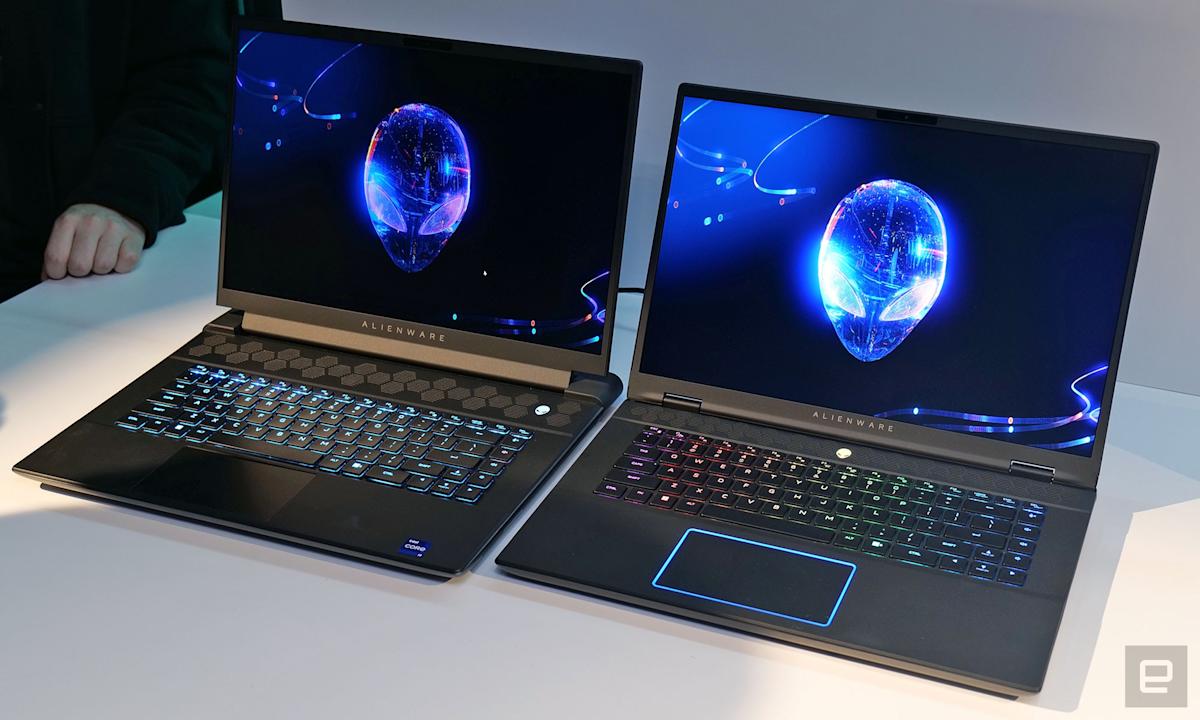
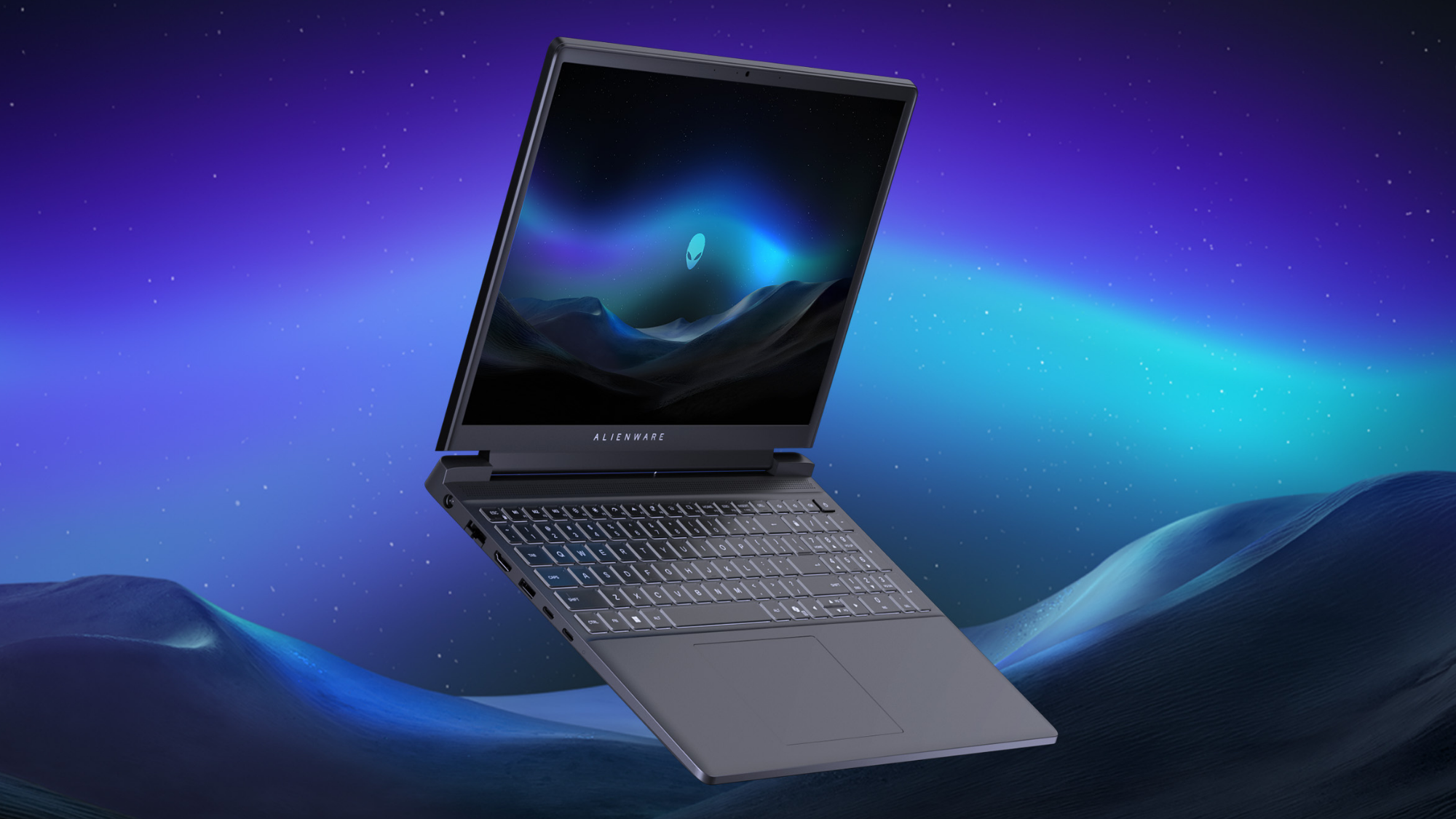
This thing doesn’t whisper – it announces itself. The teal-accented chassis, rounded corners, and subtle RGB lighting give it a futuristic flair that stands out without screaming “gamer.” At 7.49 pounds and over an inch thick, it’s no featherweight, but the build feels tanky in the best way. The aluminum lid and reinforced hinges inspire confidence, though that glass panel on the bottom? Cool the first time, then just a worry when tossing it into a backpack. (Pro tip: don’t scratch it – Dell’s manual explicitly warns against sharp tools near it.)
- Keyboard: The optional CherryMX low-profile mechanical keys are a dream for typing and gaming – crisp, tactile, and worth the $50 upgrade.
- Touchpad: Large, glass-surfaced, and precise. On higher configs, it even glows with AlienFX RGB – because why not?
- Ports: A full suite including 2x Thunderbolt 5, 3x USB-A, HDMI 2.1, SD card slot, and a 3.5mm jack. Rear placement keeps cables tidy during desk use.
Can It Shoot?
With an Intel Core Ultra 9 275HX (24 cores, up to 5.4GHz), 32GB DDR5-6400, and an RTX 5080 Laptop GPU (16GB GDDR7, 175W TGP), this machine doesn’t just shoot – it obliterates. In Cyberpunk 2077 at QHD+ with Ray Tracing Ultra and DLSS 3.5, it averaged 98 FPS. Elden Ring ran flawlessly at max settings, and even Starfield stayed playable above 60 FPS with smart upscaling.
The 16-inch 2560×1600 240Hz G-Sync display is buttery smooth, with excellent color accuracy and minimal ghosting. Combined with Advanced Optimus, switching between integrated and discrete graphics is seamless – great for balancing performance and battery (though don’t expect miracles: 96Wh battery gets about 4–5 hours of light use).
Thermals? Impressive. Thanks to the new Cryo-Chamber design and Element 31 thermal compound, temps stayed under 85°C on CPU and GPU during extended sessions. Fan noise is noticeable but not obnoxious – quieter than most desktop replacements.
Comparison: Did I need a new laptop? No. Did I still roll the dice on this Alienware … vs Rivals
How does it fare against the competition?
- ASUS ROG Strix Scar 16: Similar specs, slightly better battery life, but lacks Thunderbolt 5 and feels plasticky in comparison. Alienware wins on build and connectivity.
- Razer Blade 16: Sleeker and lighter, but maxes out at RTX 4090 and costs $1,000+ more for comparable performance. Also, no CherryMX keyboard option.
- Lenovo Legion Pro 7i: Great value and cooling, but display maxes at 240Hz FHD – no QHD+ option. Alienware’s panel is sharper and more immersive.
Where the Alienware pulls ahead is in future-proofing: Thunderbolt 5 means 120 Gbps bandwidth, dual 8K display support, and ultra-fast storage expansion. Most rivals still use Thunderbolt 4 – or omit it entirely.
Should You Upgrade?
Performance: ⭐⭐⭐⭐⭐
Display: ⭐⭐⭐⭐☆
Portability: ⭐⭐☆☆☆
Value: ⭐⭐⭐☆☆
Innovation: ⭐⭐⭐⭐☆
Tags: Alienware 16 Area-51, gaming laptop review, RTX 5080 laptop, Thunderbolt 5, Intel Core Ultra 9, CherryMX keyboard, Dell gaming, high refresh rate display, desktop replacement laptop, portable gaming powerhouse