Why Most Reviews Are Wrong About the Asus ROG Zephyrus G14 (2026) GU405: full specs, tests and user reviews
 androfyi
June 28, 2026
5 min read
208 views
androfyi
June 28, 2026
5 min read
208 views
The No-BS Verdict: Buy this if you demand a 1.5kg chassis that actually houses an RTX 5080 without melting, but skip it if you think lugging a 724g power brick constitutes “all-day portability.”
Real-World Gotchas: The Good & The Bad
- Weight-to-Power Ratio: 1.5kg for an RTX 5080 configuration is absurdly light for the performance offered.
- Display Brilliance: 1000-nits peak HDR and 100% DCI-P3 on a glossy panel that actually makes competitors look washed out.
- USB-C Flexibility: 100W Power Delivery charging on both sides means you aren’t tethered to the wall brick for light work.
- Lighting Upgrades: 35-zone Slash Lighting with functional battery status indicators is a massive step up from the old 7-zone strip.
- Storage Access: A user-replaceable M.2 2280 PCIe 4.0 SSD slot keeps upgrade paths open.
- The Charger: The 250W AC adapter weighs 724 grams. That is a 1.6lb anchor in your bag.
- Biometric Snub: Asus included an IR sensor but left off the fingerprint reader, forcing facial recognition in low light.
- Single SSD Slot: Only one M.2 slot means you are swapping, not adding, if you need more space.
- Battery Gaming Myth: Yes, you can game on battery, but expect runtime to plummet and performance to throttle hard.
- No Ethernet: Wi-Fi 7 and Bluetooth 6.0 are great, but RJ45 is completely missing for competitive gamers.
Our team has been pounding on the 2026 G14, and the community is split right down the middle. On paper, Asus promises a 15.9mm RTX 5080 miracle. In reality, you are getting a machine that trades blows with desktops but carries a power adapter that could double as a boat anchor. Let’s dissect the friction points the glossy marketing slides conveniently gloss over.
The Physical Reality: Materials & Grip
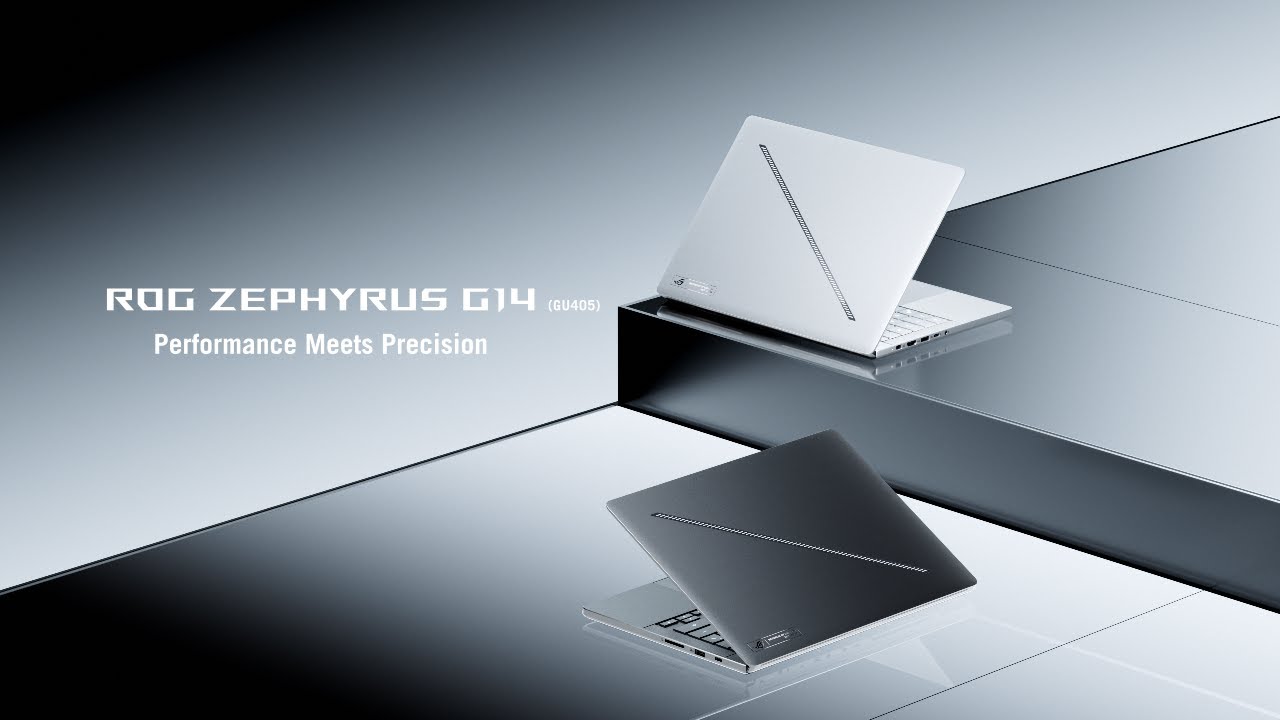
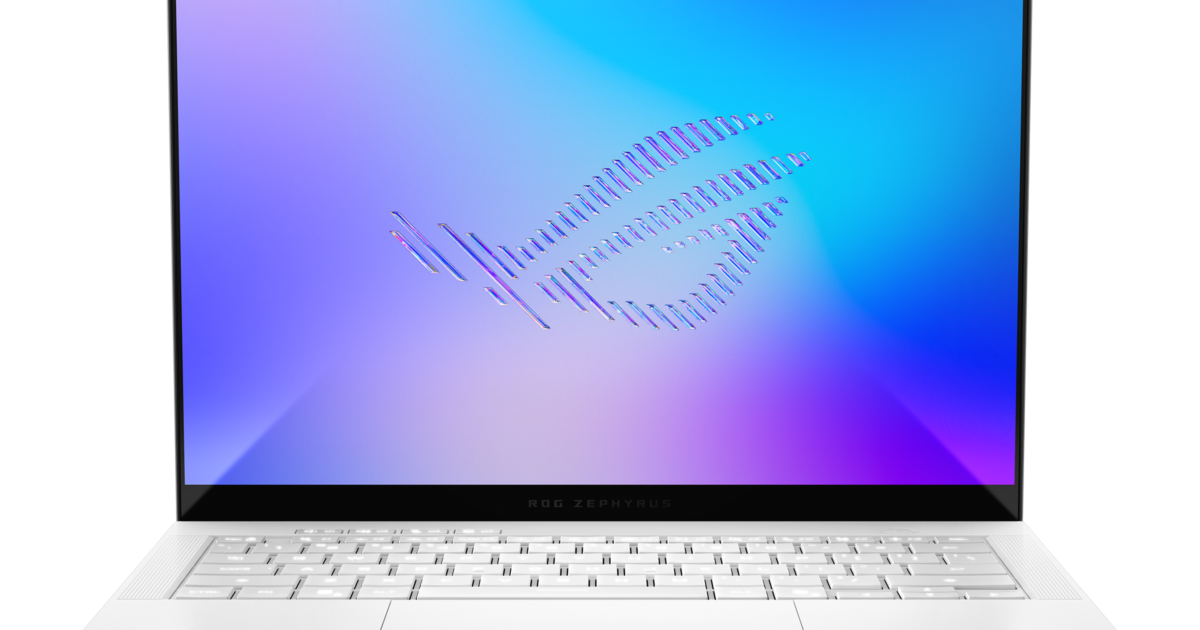
At 311 x 220 x 15.9-16.3 mm, the base G14 is pocketable by gaming laptop standards, but the thickness varies wildly depending on the GPU tier. The 1.5kg base weight is respectable, but the moment you step up to the RTX 5070 Ti or 5080 configurations, the chassis balloons to 1.57kg and up to 18.3mm thick. The glass touchpad is smooth, but the 1.7mm key travel feels slightly shallow for marathon typing sessions. The 83.1% screen-to-body ratio is decent, but the glossy OLED coating acts as a mirror under office fluorescents.
Thermal Throttling & Real Speed
Under the hood, the Intel Core Ultra 9 386H (Pantler Lake) paired with up to an RTX 5080 Laptop GPU is a formidable combo. The 16-core, 16-thread CPU boosts up to 4.9 GHz and chews through Cinebench 2024 multi-core tests (1230 points). However, Asus relies heavily on wattage limits to match the thermal capabilities of this thin chassis. The RTX 5080 tops out at 130W in Manual mode (110W + 20W Dynamic Boost), which is well below the 150W+ desktop variants. The Tri-fan design keeps things from melting, but expect the fans to spin aggressively under sustained load. G-Sync is a welcome addition to eliminate screen tearing on that gorgeous OLED.
- CPU: Intel Core Ultra 9 386H (4P + 12E, up to 4.9 GHz, 18MB L3 Cache)
- GPU Options: RTX 5060 (8GB GDDR7) up to RTX 5080 (16GB GDDR7)
- NPU Compute: Intel NPU up to 50 TOPS for local AI workloads
- Memory: Configurable up to high-capacity DDR5x (exact max varies by SKU)
- Storage: 2TB PCIe 4.0 NVMe M.2 SSD (1x Slot)
Webcam, Sensor & Latency Nuance
The 1080p webcam sitting above the display is serviceable for Zoom calls, but low-light performance is mediocre. The inclusion of an IR sensor allows for Windows Hello facial recognition, though the absence of a fingerprint reader is a glaring oversight for a premium device. For input latency, Latencymon tests show excellent results with the Thunderbolt 4 and USB 4.0 ports, meaning external peripherals won’t suffer from DPC latency spikes. The 120Hz OLED panel with a 1ms response time and Dolby Vision support makes gameplay feel instantaneous, but the glossy coating remains a point of contention for users in bright rooms.
- Display: 14-inch OLED, 2880×1800, 16:10, 120Hz, 500-nits SDR, 1000-nits peak HDR
- Color Accuracy: 100% sRGB, 96.5% Adobe RGB, 100% DCI-P3, Delta E < 1
- Contrast: 1,000,000:1 (OLED infinite contrast standard)
- Connectivity: Wi-Fi 7, Bluetooth 6.0, Thunderbolt 4, 2x USB-A 3.2, 1x USB-C 3.2 Gen2 (DP/PD), HDMI 2.1
- Battery: 73Wh Li-Po, 20+ hours video playback (150 nits, 60Hz), 100W USB-C PD charging
Who This Is Actually For
If you are a digital nomad who refuses to compromise on GPU power, the 2026 G14 GU405 is your machine. It is built for the creator who color-grabs in DCI-P3 on the OLED panel at a coffee shop, then goes home and plugs into an external monitor to frag enemies on the RTX 5080. It is not for the gamer who expects to unplug and game for three hours on battery – that 73Wh cell will drain in under an hour under full load. It is also not for the user who demands absolute silence; the Tri-fan system is effective, but audible. Buy this for its unparalleled blend of portability and desktop-class performance, but keep that 724g charger handy.
Tags: Asus ROG Zephyrus G14 2026, GU405 specs, Zephyrus G14 review, RTX 5080 laptop, Intel Core Ultra 9 386H, OLED 120Hz gaming laptop, ROG Zephyrus G14 battery life, Asus ROG thermals, Panther Lake laptop, 14 inch gaming laptop 2026, Zephyrus G14 vs MacBook Pro, Asus ROG Zephyrus G14 weight, RTX 5070 Ti laptop, best portable gaming laptop