⚡ The 30-Second Fix
Get your DJI Mini 4K airborne safely and confidently in under 10 minutes by following three simple steps: charge everything, download the DJI Fly app, and complete the built-in beginner tutorial. This guide skips the fluff and focuses only on what you need for a smooth first flight.
Many new pilots feel overwhelmed by drone manuals, settings menus, and safety warnings – especially when holding a sleek, sub-250g machine like the DJI Mini 4K for the first time. The good news? DJI has designed this drone specifically for beginners, with intuitive controls, automatic flight modes, and clear in-app guidance. With just a little prep, your first flight can be stress-free – and even fun.
Before We Start
- Check local regulations: In most countries, drones under 250g (like the Mini 4K) don’t require registration – but always verify rules for your area before flying.
- Charge all components: Fully charge the drone battery, remote controller, and your smartphone or tablet. Low power mid-flight is a common beginner mistake.
- Use a microSD card: The Mini 4K has no internal storage. Insert a high-speed U3/V30 microSD card (up to 256GB) to record 4K videos and RAW photos.
- Pick an open, safe location: Avoid trees, power lines, crowds, and airports. A quiet park or backyard with minimal wind is ideal for your first flight.
Getting Started
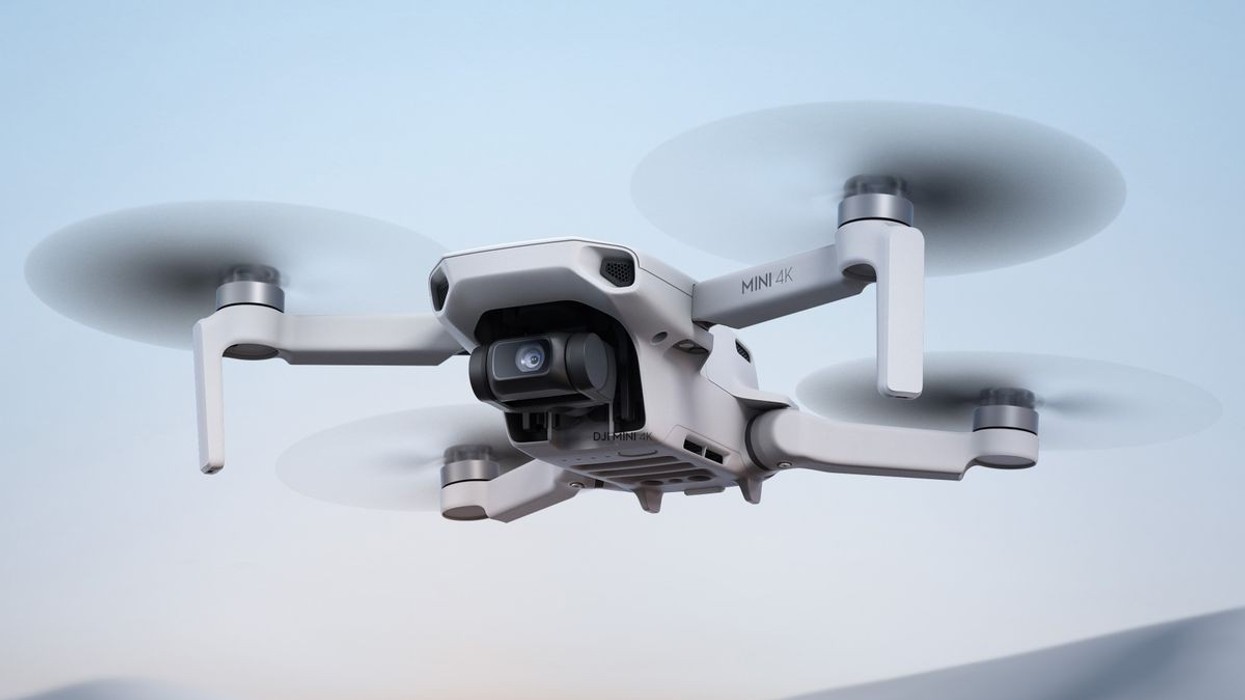
Unfold the Mini 4K, attach the propellers (they snap on securely), and power it on. The status light will blink green – this means it’s ready. Next, turn on the RC-N1C remote controller and connect your phone via the USB-C cable. Launch the DJI Fly app – it’s free and available on iOS and Android.
The app will prompt you to link the drone and controller if it’s your first time. Follow the on-screen instructions. Once connected, you’ll see a live HD feed from the camera and access to all flight controls.
Phase 2: The Settings
Before takeoff, tap the “Beginner Tutorial” in the DJI Fly app. This short interactive guide walks you through basic controls, flight modes, and safety features – perfect for first-timers. After that, go to Settings > Flight Mode and select Normal mode for balanced speed and stability.
Enable Return to Home (RTH) and confirm your home point is set correctly (the drone uses GPS to remember where it took off). Set RTH altitude to at least 30 meters to avoid obstacles during automatic return.
In the camera settings, choose 4K/30fps for the best video quality. If you plan to edit photos later, enable RAW (DNG) capture alongside JPEG. Use the gimbal tilt slider to angle the camera down slightly – this gives a more cinematic view during flight.
Troubleshooting
Problem: Drone won’t take off or drifts sideways.
Solution: Calibrate the compass and IMU via the DJI Fly app (Settings > Sensors). Ensure you’re on flat ground and away from metal objects or magnetic interference.
Tip: Always wait for solid GPS lock (at least 10 satellites shown in the app) before flying. This ensures stable hovering and reliable RTH.
Warning: Don’t fly in winds stronger than Level 5 (38 km/h). The Mini 4K handles light gusts well, but strong wind drains battery fast and reduces control.
For your first flight, keep it short – 5 to 10 minutes is plenty. Practice gentle takeoffs, slow circles, and landing using the auto-landing button. Try one QuickShot like “Dronie” to capture a dramatic exit shot – just tap the mode, confirm, and let the drone do the work.
Remember: real-world flight time is closer to 21–25 minutes, not the advertised 31. Start your RTH at 30% battery to stay safe. And if you’re serious about aerial photography, consider the Fly More Combo – it includes extra batteries and a charging hub for uninterrupted shooting.
Tags: DJI Mini 4K, beginner drone guide, first flight tutorial, 4K drone, sub-250g drone, DJI Fly app, drone safety, QuickShots, Return to Home, drone setup, aerial photography, drone regulations, microSD for drone, OcuSync transmission, foldable drone