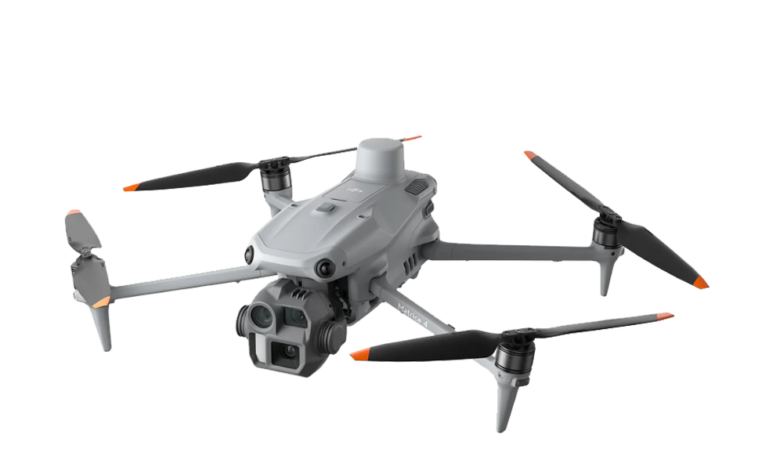
⚡ The 30-Second Fix
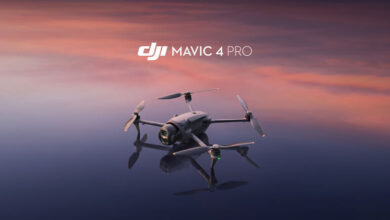
Getting started with the DJI Matrice 4 is easier than you think – just unbox, update firmware, calibrate sensors, and take off within minutes. This guide walks you through setup, key features, and smart flight practices so you can fly safely and efficiently from day one.
Many beginners feel overwhelmed by enterprise drones like the DJI Matrice 4 because of their advanced sensors, multiple camera systems, and professional-grade capabilities. But with the right preparation and understanding of its core functions, even first-time pilots can operate this powerful tool confidently – whether for surveying, public safety, or infrastructure inspection.
What You Need
- Drone Model: DJI Matrice 4T or Matrice 4E (choose based on thermal imaging needs)
- Remote Controller: DJI RC Plus 2 Enterprise or compatible controller
- Batteries: At least two TB77 Intelligent Flight Batteries (supports ~49 min flight time)
- Storage: High-speed microSD card (U3/V30 recommended, 128GB+)
- Software: Latest version of DJI Pilot 2 app installed on a compatible mobile device
- Accessories (Optional): DJI AL1 Spotlight, DJI AS1 Speaker, D-RTK 3 Station for centimeter-level accuracy
Getting Started

- Unbox & Inspect: Remove all packaging, including the gimbal protector. Check propellers, cameras, and landing gear for damage.
- Charge Everything: Fully charge batteries, remote controller, and mobile device before first use.
- Update Firmware: Power on the drone and controller, then use DJI Pilot 2 to install the latest firmware for all components.
- Calibrate Sensors: Perform IMU and compass calibration in an open area away from metal or magnetic interference.
- Enable Safety Features: Turn on the built-in beacon and bottom auxiliary light – especially critical for night operations.
- Set Flight Mode: Switch to N-mode (Normal) for stable GPS-assisted flight ideal for beginners.
Phase 2: The Settings
- Camera Configuration: Choose between Wide (24mm), Medium Tele (70mm), or Tele (168mm) lenses. Use 48MP mode for high-detail stills or 16x digital zoom (up to 112x hybrid) for distant inspections.
- Night Scene Mode: Activate full-color night vision with NIR auxiliary lighting – ideal for search and rescue up to 100 meters.
- RTK Precision (Optional): Pair with D-RTK 3 Station for centimeter-level positioning (±1 cm horizontal accuracy) in surveying or mapping tasks.
- Obstacle Avoidance: Ensure six-directional visual sensors are unobstructed. Note: No radar/LiDAR on base Matrice 4 – fly within line of sight.
- Flight Planning: Use DJI Pilot 2 to set waypoints, adjust speed (max 21 m/s forward), and enable Return-to-Home (RTH) with visual + GNSS fusion for urban reliability.
- Thermal Imaging (Matrice 4T Only): Access 640×512 thermal feed with High-Res Mode (1280×1024) to detect heat signatures or structural anomalies.
Troubleshooting
Fix: Check battery level, ensure gimbal protector is removed, verify GNSS signal (at least 10 satellites), and confirm no geofencing restrictions.
Tags: DJI Matrice 4, Matrice 4T, Matrice 4E, drone beginner guide, enterprise drone setup, thermal imaging drone, RTK drone, aerial surveying, public safety drone, night flight drone, DJI Pilot 2, obstacle avoidance, camera settings, flight safety, drone troubleshooting