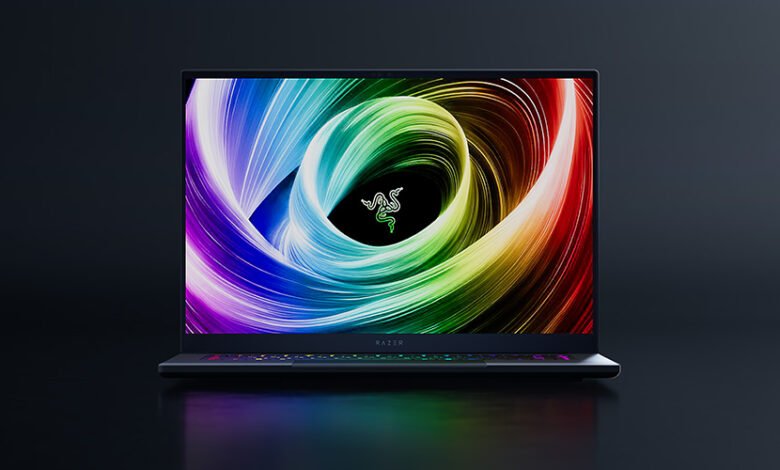
After months of daily use – gaming, content creation, and even replacing my desktop setup – the 2025 Razer Blade 16 has proven itself as one of the most compelling high-end laptops on the market. It goes head-to-head with rivals like the ASUS ROG Zephyrus G16, Lenovo Legion Pro 7i, and even Apple’s MacBook Pro 16, but stands out thanks to its jaw-dropping OLED screen, compact aluminum chassis, and surprisingly capable cooling. That said, it’s not without compromises – especially if you’re watching your wallet or need upgrade flexibility.
Design & Build
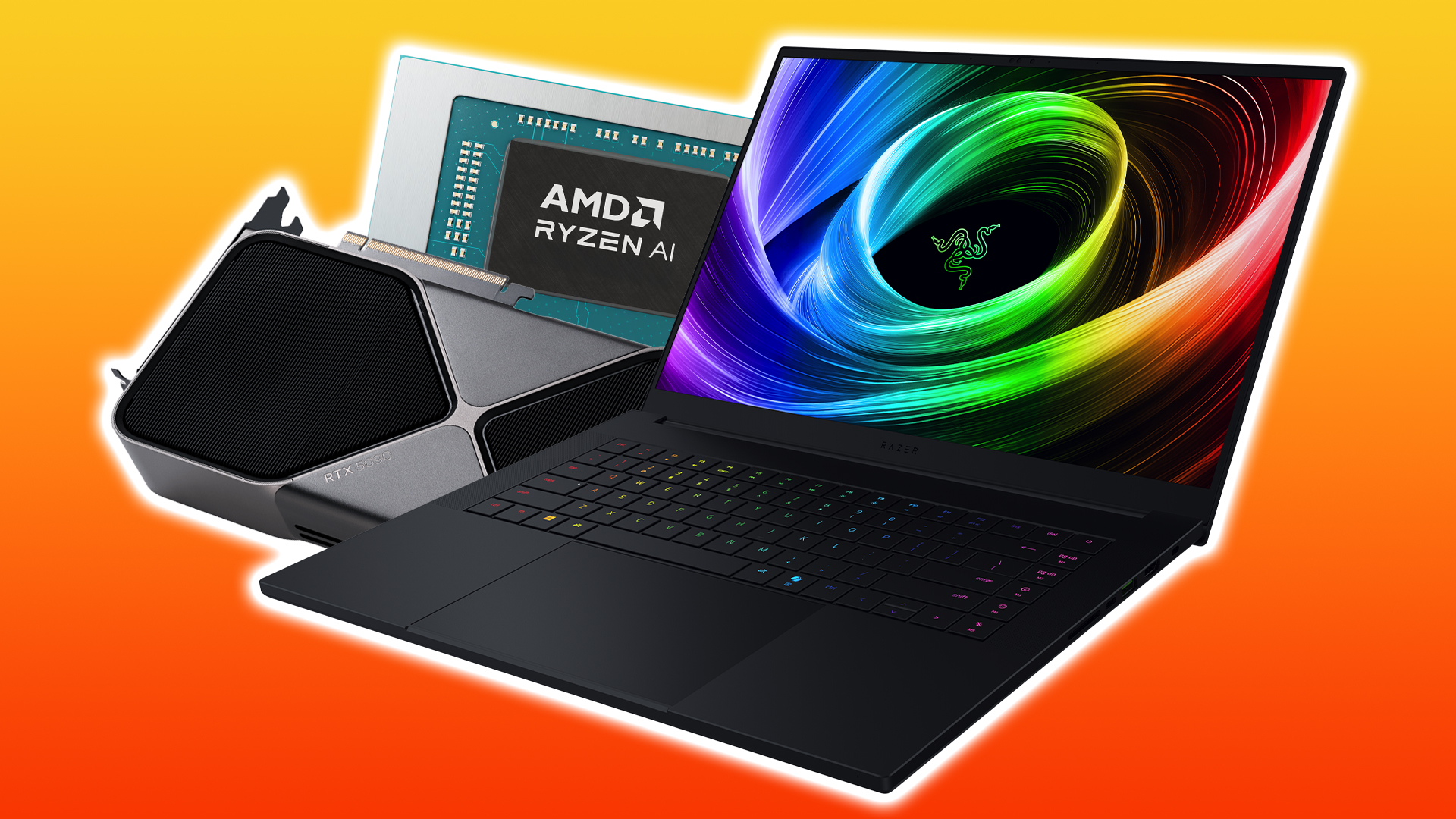
At just 0.69 inches thick and weighing 2.14 kg (4.71 lbs), the Blade 16 feels remarkably portable for a machine packing an RTX 5090. The anodized aluminum unibody remains fingerprint-prone but exudes premium craftsmanship – no flex, no creaks, just solidity. Compared to last year’s bulkier model, Razer shaved off nearly 0.2 inches and over 0.6 pounds, making it noticeably easier to toss in a backpack.
- Keyboard & Trackpad: The deeper 1.5mm key travel is a welcome upgrade – typing feels tactile and confident, a clear step up from previous Blades and even the MacBook Pro. The massive glass trackpad is responsive with excellent palm rejection, though its top-hinged design takes getting used to. Accidental clicks were common at first, but muscle memory kicked in after a week.
- Ports: You get a well-balanced selection: two USB4/Thunderbolt-like ports (one per side), three USB-A 3.2 Gen 2, HDMI 2.1, a UHS-II SD card reader, and the proprietary DC-in. The reversible charging plug is a nice touch, and USB-C charging up to 100W works great for light tasks.
- Webcam & Audio: The 1080p IR camera handles low light decently but lacks a privacy shutter – a baffling omission in 2025. The six-speaker THX Spatial Audio system gets loud and full, though bass lacks punch compared to the MacBook Pro’s studio-grade output.
The Lens Lowdown
Razer didn’t just keep the previous gen’s OLED panel – they refined it. The 16-inch QHD+ (2560 x 1600) display runs at 240Hz with VRR, 0.2ms response time, and covers 100% DCI-P3. Colors pop, blacks are ink-deep, and motion is buttery smooth. It’s brighter than expected at 400 nits SDR (and higher in HDR modes), making it usable even in sunny rooms. While the Gigabyte Aorus Master 16’s panel comes close, the Blade’s glossy finish enhances vibrancy – just be ready for reflections.
For creators, it’s a dream: accurate out-of-the-box calibration and wide gamut coverage make photo/video editing a joy. Gamers will love the near-instant response and G-Sync support, eliminating tearing even in fast-paced titles.
Comparison: Razer Blade 16 longer term review (2025 generation) vs Rivals
Let’s put the Blade 16 in context:
- ASUS ROG Zephyrus G16 (2025): Similar price, slightly better battery life, and easier RAM upgrades – but the Blade’s OLED screen and build quality edge it out for premium feel.
- Lenovo Legion Pro 7i: Offers higher GPU wattage (full 175W RTX 5090) and better thermals under load, but it’s thicker, heavier, and uses a less vibrant IPS panel.
- MacBook Pro 16 (M4 Max): Superior battery life, silent operation, and macOS optimization – but no gaming pedigree, limited port selection, and half the refresh rate (120Hz).
In real-world gaming, the Blade 16’s RTX 5090 (155W with Dynamic Boost) delivers excellent QHD+ performance. In Black Myth: Wukong with ray tracing and DLSS 4.0 + Multi Frame Gen (4x), we saw averages of 168–174 fps – smooth enough for competitive play. Without frame gen, it still holds 85–94 fps at max RT settings. However, it falls short of desktop-grade 5090 performance due to power limits, especially during combined CPU+GPU loads where sustained wattage dips to ~135W.
The AMD Ryzen AI 9 HX 370 (12C/24T) is a beast for multitasking and creative apps. In Blender, it rendered the Classroom scene in just 18 seconds – on par with high-end mobile workstations. But be warned: on battery, the APU is severely throttled by Razer’s firmware, crippling performance unless plugged in.
Storage is fast (sustained SSD reads over 7GB/s), and the dual M.2 slots let you add another drive easily – though RAM is soldered, so choose wisely at checkout. Razer’s spec bundling pushes you toward higher tiers: want 64GB RAM? You must take the 5090. Want the 5080? Stuck with 32GB and a weaker CPU. It’s a clever – but frustrating – upsell strategy.
Should You Upgrade?
- Display: 10/10 – Best-in-class OLED with 240Hz
- Performance: 9/10 – Near-top-tier, but GPU power capped
- Build Quality: 9.5/10 – Premium, lightweight, durable
- Thermals & Noise: 8/10 – Quiet under normal load, fans spin up during gaming
- Value: 7/10 – Expensive, especially in the US; better deals in Europe
- Upgradeability: 6/10 – Soldered RAM, but dual SSD slots help
If you’re coming from a 2023 or earlier Blade, the jump to Zen 5, RTX 50-series, and Wi-Fi 7 makes this a worthy upgrade – especially for creators and gamers who prioritize screen quality and portability. But if you already own a 2024 model, the gains may not justify the cost.
For new buyers, consider your region: European pricing (starting around €2,399) is surprisingly competitive, while US buyers pay a $200 premium over last gen. And if reliability is a concern, note that RazerCare isn’t available in Europe – so warranty support may be slower.
Ultimately, the 2025 Razer Blade 16 isn’t just a gaming laptop – it’s a do-everything powerhouse wrapped in a sleek, travel-friendly shell. Just bring your wallet… and maybe a microfiber cloth for those smudges.
Tags: Razer Blade 16, 2025 laptop review, RTX 5090 laptop, AMD Ryzen AI 9 HX 370, OLED gaming laptop, high refresh rate display, premium gaming laptop, laptop comparison, portable workstation, DLSS 4.0, Multi Frame Generation, Windows 11 gaming, laptop thermals, Razer Synapse, best 16-inch laptop